Administration
Administration covers who can use NxSAM, what they can see, and how the platform behaves. Most of it is set up once and revisited rarely — but the settings here shape what everyone else experiences, so changes deserve care.
Users, roles and groups
Three separate ideas that are easy to conflate:
| Controls | |
|---|---|
| Role | What a person can do — which modules and actions are available |
| Ownership | What a person can see — which assets and findings |
| User group | A convenient way to assign the above to several people at once |
Role and visibility are different mechanisms
Giving someone the Security Analyst role does not automatically show them every asset, and granting asset ownership does not give them new abilities.
"I can't see the module" is a role problem. "I can see the module but it's empty" is an ownership problem. They have different fixes.
SLA configuration
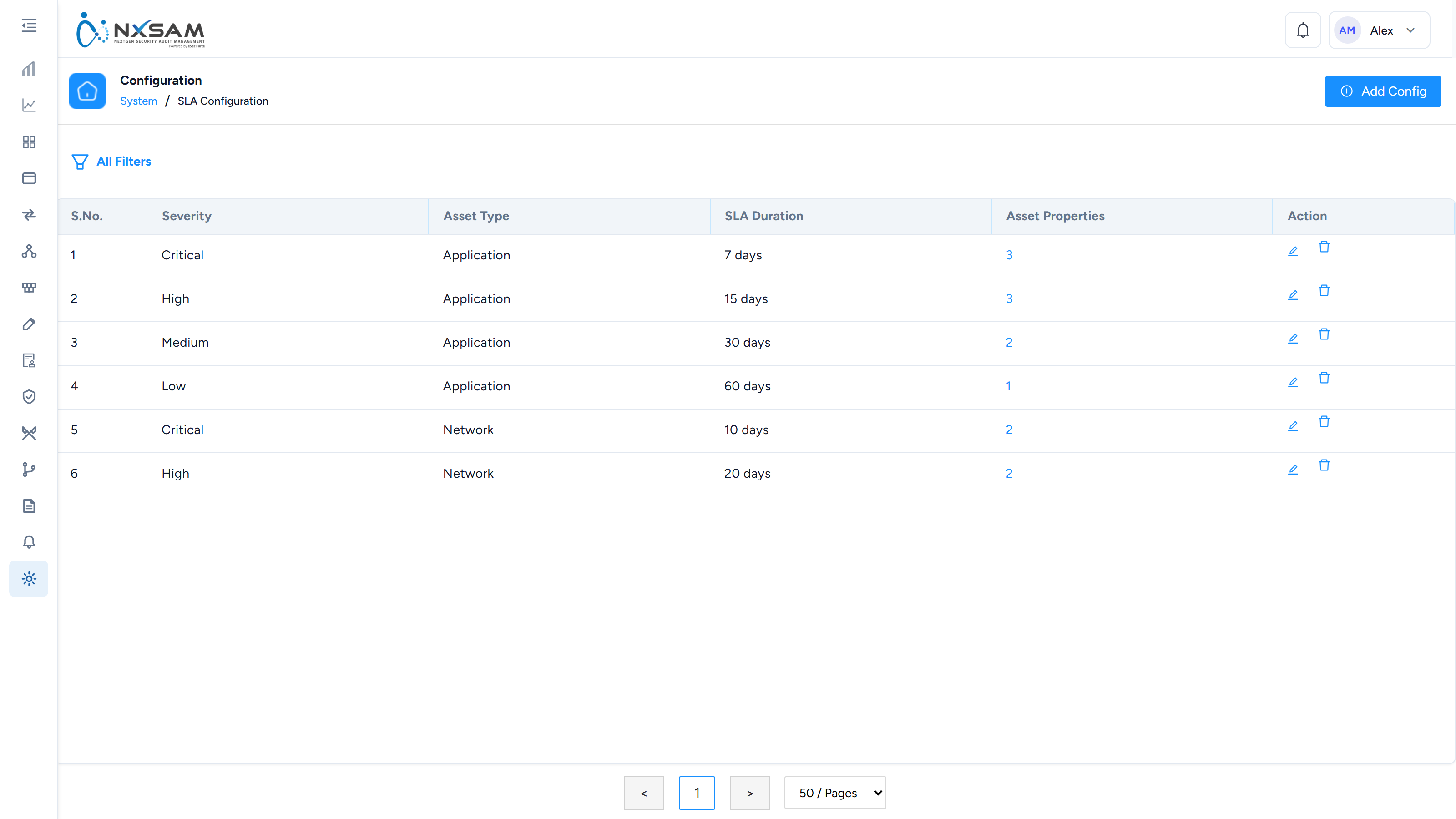
SLA settings define how long each severity has before it is overdue. This is the single most consequential setting in the platform: it determines what counts as late for every finding.
Two things to know before changing it:
- It applies going forward. Findings already carrying an SLA date keep it.
- Shortening an SLA can make many findings overdue at once, because the comparison is against today's date. Expect the overdue count to move immediately.
Severity colours
Severity colours are configurable and are used consistently across screens, reports and emails. Changing them changes every visual output, including reports already familiar to recipients — worth a note to users if you do.
Email configuration and templates
Email configuration is the connection to your mail server. Templates control what notifications actually say.
The email log is the first place to look when someone reports not receiving a notification: it distinguishes "never sent" from "sent but not delivered", which are very different problems.
Directory integration
Where corporate sign-on is configured, users authenticate against your directory and NxSAM does not hold their passwords. Roles and ownership are still managed in NxSAM — the directory answers who they are, not what they may do.
Audit management
Audit types and properties define the kinds of assessment your organisation runs and what metadata each captures. Adding a property makes it available on future audits; existing audits will not have a value for it.
A note on changing settings
Most settings here apply to what happens next, not to what has already happened. Changing an SLA does not re-date existing findings; changing an approval matrix does not re-route requests already raised. When a change appears not to have taken effect, check whether the records in question predate it.