Build a report template
A report template decides what a generated report contains and in what order. Templates are yours to define: the supplied ones are a starting point, not a limit, and most organisations end up with several — one for an internal technical audience, one for a customer or regulator, one for the board.
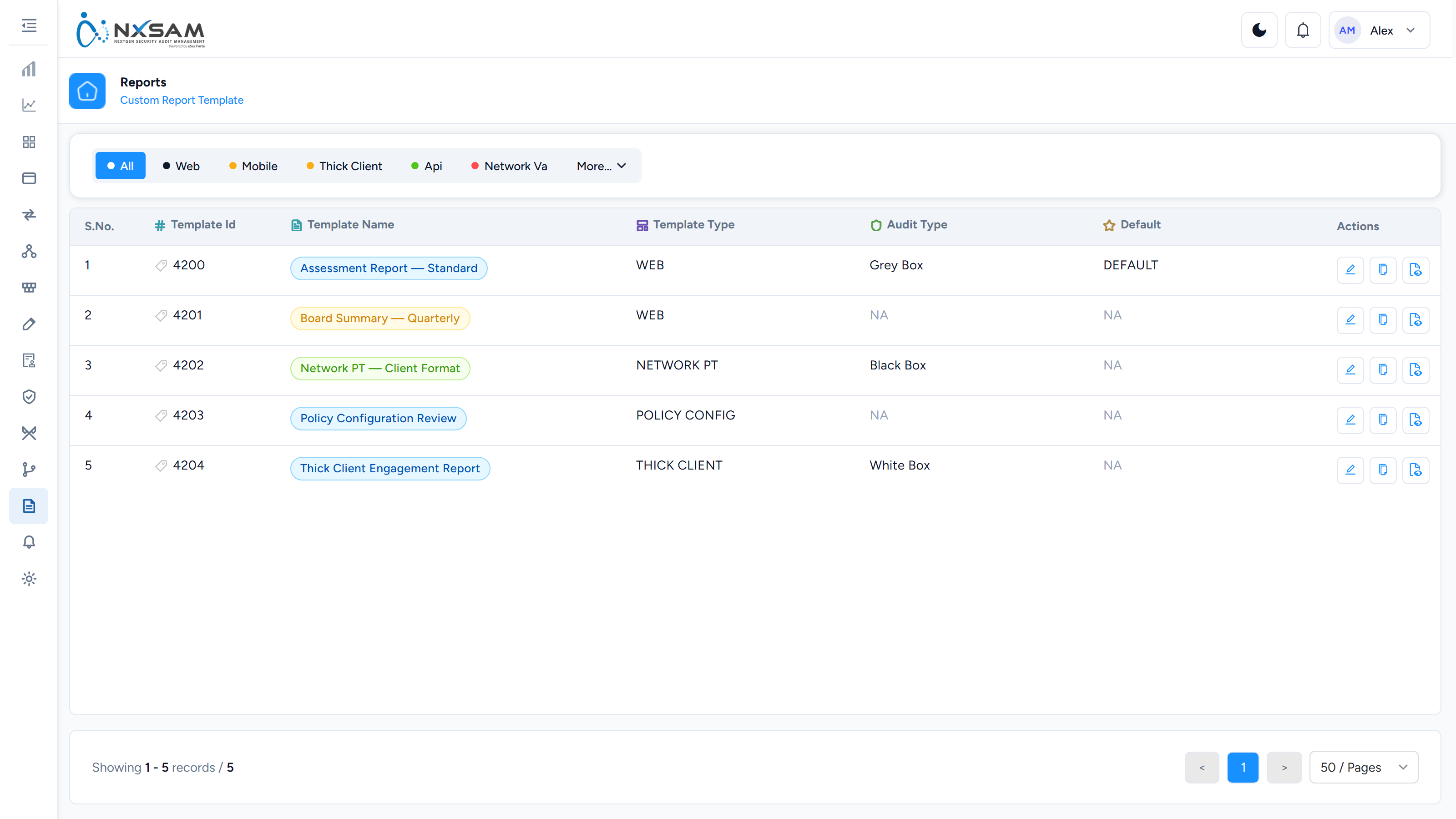
1. Create the template
Add Template asks for the frame the document sits in:
| Field | What it decides |
|---|---|
| Template Name | How it appears when someone generates a report |
| Report Type | Which kind of report this template can produce — it decides which content blocks are available later |
| Asset Type | Which assets it applies to |
| Report Format | The output the template targets |
| Design Template | The visual design the document is rendered with |
| Document Version, Author, Approved By | Printed on the cover, and the fields an auditor looks for first |
| Organization, Address, Contact Details, Email, Phone Number | The issuing party's details on the cover |
Nothing here is the content of the report — that comes next, and it is where the work is.
2. Add sections
Open the template's Sections. A section is a chapter of the document.
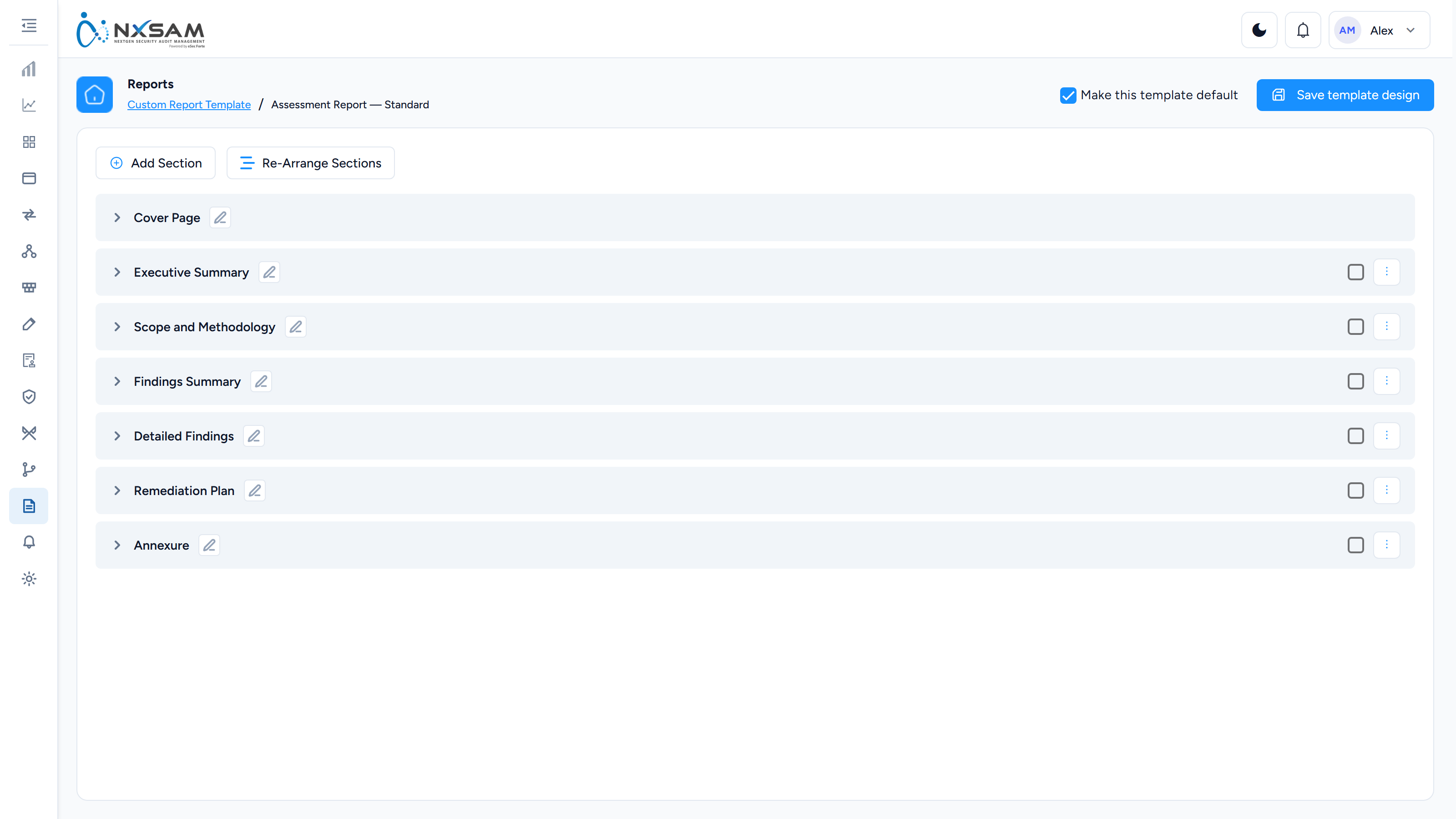
Each section carries three actions:
| Action | What it does |
|---|---|
| Edit Section Name | Rename it. Names are unique within a template and capped at 50 characters |
| Add Sub-Section | Adds a block of content inside the section |
| Re-Arrange Sub-Sections | Changes the order within the section |
Section Position decides where a new section lands. Order is part of the deliverable: a report whose executive summary follows the technical appendix is a different document to its reader, and no amount of correct content fixes that.
3. Fill the sections
A sub-section holds either content you write or content the platform generates.
Written content is edited directly — headings, paragraphs, tables, and an image you upload for a diagram, an architecture sketch or a signature block. This is where scope statements, methodology, disclaimers and conclusions live: the parts that are the same in every report and should not be retyped.
Generated content is a block the platform fills at generation time from the audit the report covers. The blocks available depend on the report type, and include:
| Block | What it renders |
|---|---|
| Assets in Scope | What was assessed — affected IP, URL or application, asset group, classification |
| Application / Audit Details | The audit's own particulars, owner and phase |
| Asset-Wise Vulnerability Statistics | Counts per asset |
| Findings by Severity / Status / Category | The three standard breakdowns |
| Closed Vulnerability List | What was fixed, for a re-test or closure report |
| CVE / CWE references | The identifiers a technical reader cross-references |
| Confirmatory rounds | Separate columns per re-test round, so a report can show a finding's history across up to six confirmatory audits |
The point of the split is that written content is stable and generated content is current: you write the methodology once, and every report produced from the template carries this month's findings under it.
4. Set the default
Default marks the template used when someone generates a report without choosing one. Changing which template is default changes what everyone who does not think about it produces — worth announcing rather than doing quietly.
Sharing a template
| Action | What it does | When |
|---|---|---|
| Share View | One template, one owner. Your later edits reach everyone using it | A standard the organisation should follow |
| Share Copy | An independent copy that will drift from yours | A starting point someone will adapt |
| Manage Config | Which properties the template includes | Tuning what a shared template shows |
The choice matters more than it looks. Share View keeps a house style consistent and means a correction reaches every user; Share Copy hands over ownership and accepts divergence.
Test a template before it is used in anger
Generate one report from a new template against a real audit and read it end to end. Section order, an empty generated block, or a placeholder left in written content are all obvious in the output and nearly invisible in the builder.