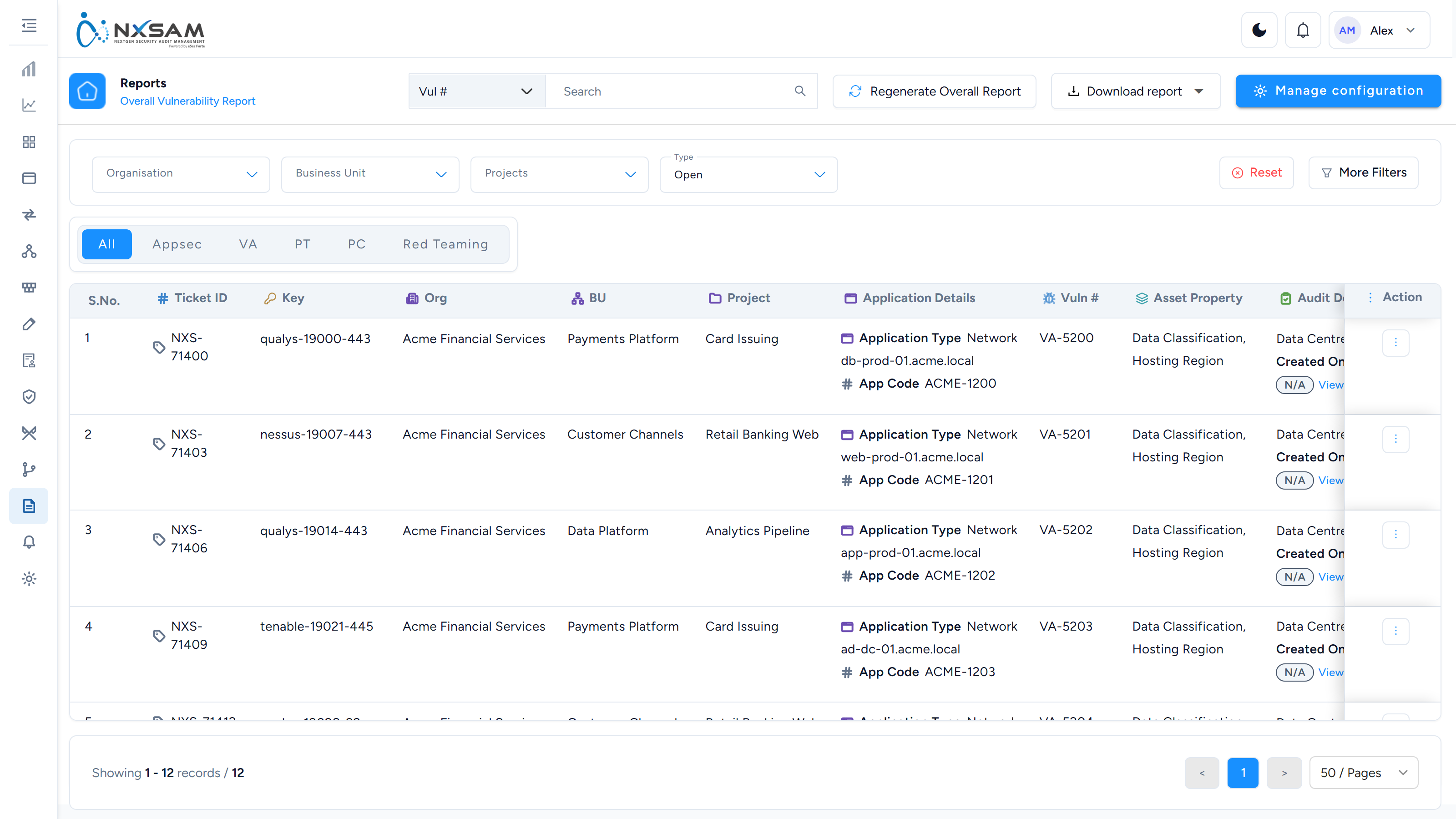
Reports: find the right screen
Every screen in this module, what each one is for, and where it lives. Use it to find the right screen quickly, and to confirm you are on the one a colleague means — several screens in this product have similar names and different jobs.
Screenshots come from a demonstration data set, so the figures are illustrative. Click any screenshot to open it at full resolution.
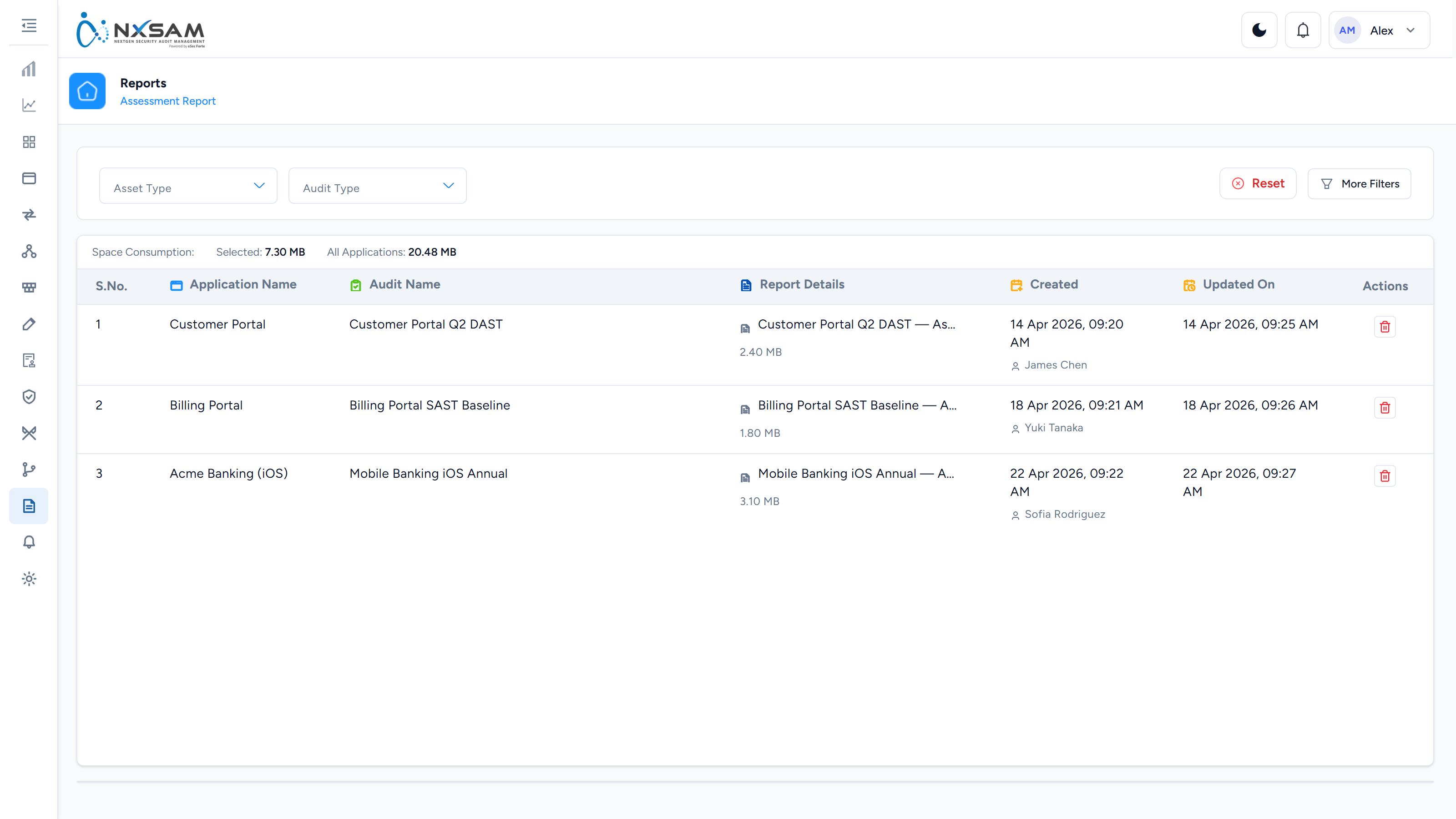
Assessment Reports
Generated assessment documents, grouped by asset type, with the storage each consumes.
Overall Vulnerabilities Report
One row per finding across every module, with the asset context an auditor asks for. The widest grid in the product — scope it before generating.