Container Security
Container Security covers weaknesses in container images — the packaged applications your platforms run. Findings arrive from container scanning tools such as Prisma Cloud.
How containers differ from other assets
Two differences change how you work with them:
An image is immutable. You do not patch a running container; you build a new image and redeploy. So remediation means rebuilding, and a finding persists until the new image is scanned and confirmed.
Most findings come from the base image. A container inherits everything in the image it was built from. That means a single base image update frequently resolves large numbers of findings across many images at once — and conversely, an outdated base image reproduces the same findings everywhere it is used.
Fix the base image, not the finding
When the same vulnerability appears across many images, it is usually one inherited component. Updating the shared base image resolves it everywhere. Treating each image separately multiplies the work for no additional benefit.
What the module holds
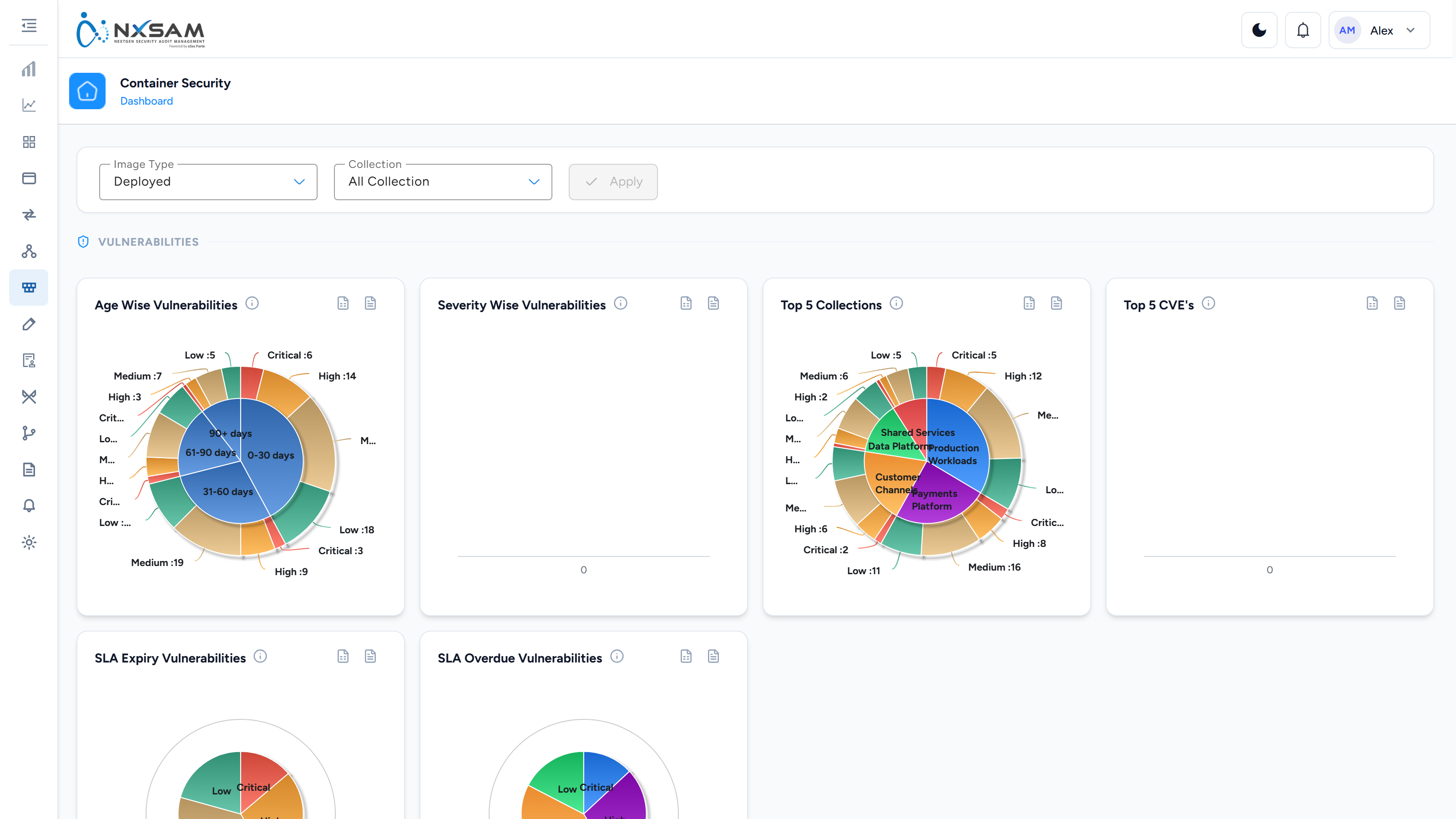
| Screen | Shows |
|---|---|
| Dashboard | Container posture at a glance |
| Collections | Logical groupings of images, usually mirroring how your platform organises workloads |
| Images | The image inventory, by repository and tag |
| Vulnerabilities | Weaknesses found in those images |
| Compliance | Checks against container hardening benchmarks |
Images and tags
An image is identified by its repository and tag. The tag matters: payments/api:2.14.0
and payments/api:2.15.0 are different images with different findings.
This is why a fix appears as a new image rather than as the old one improving. The previous tag still contains the vulnerability — it is simply no longer the one you deploy.
Vulnerabilities versus compliance
The module reports two different kinds of problem, and they are worked differently:
- Vulnerabilities are known weaknesses in packages inside the image. Fixed by updating those packages and rebuilding.
- Compliance findings are configuration and hardening issues — running as root, no health check, an over-permissive setting. Fixed by changing how the image is built or run.
Both matter, but compliance findings are usually cheaper to fix and often apply uniformly across your estate.
Working effectively
- Start with collections rather than individual images — they group workloads the way your platform teams think about them.
- Prioritise images actually deployed to production. A scanned image nobody runs is a lower priority than a running one.
- Watch for the same finding across many images: that is a shared base-image problem and a single high-leverage fix.