Sign in to NxSAM
- Open the NxSAM address your administrator gave you.
- Enter your username and password.
- Choose your Directory, if the field is shown.
- Complete any additional verification your organisation has enabled.
The screen adapts to how your organisation authenticates, so what you see depends on your deployment.
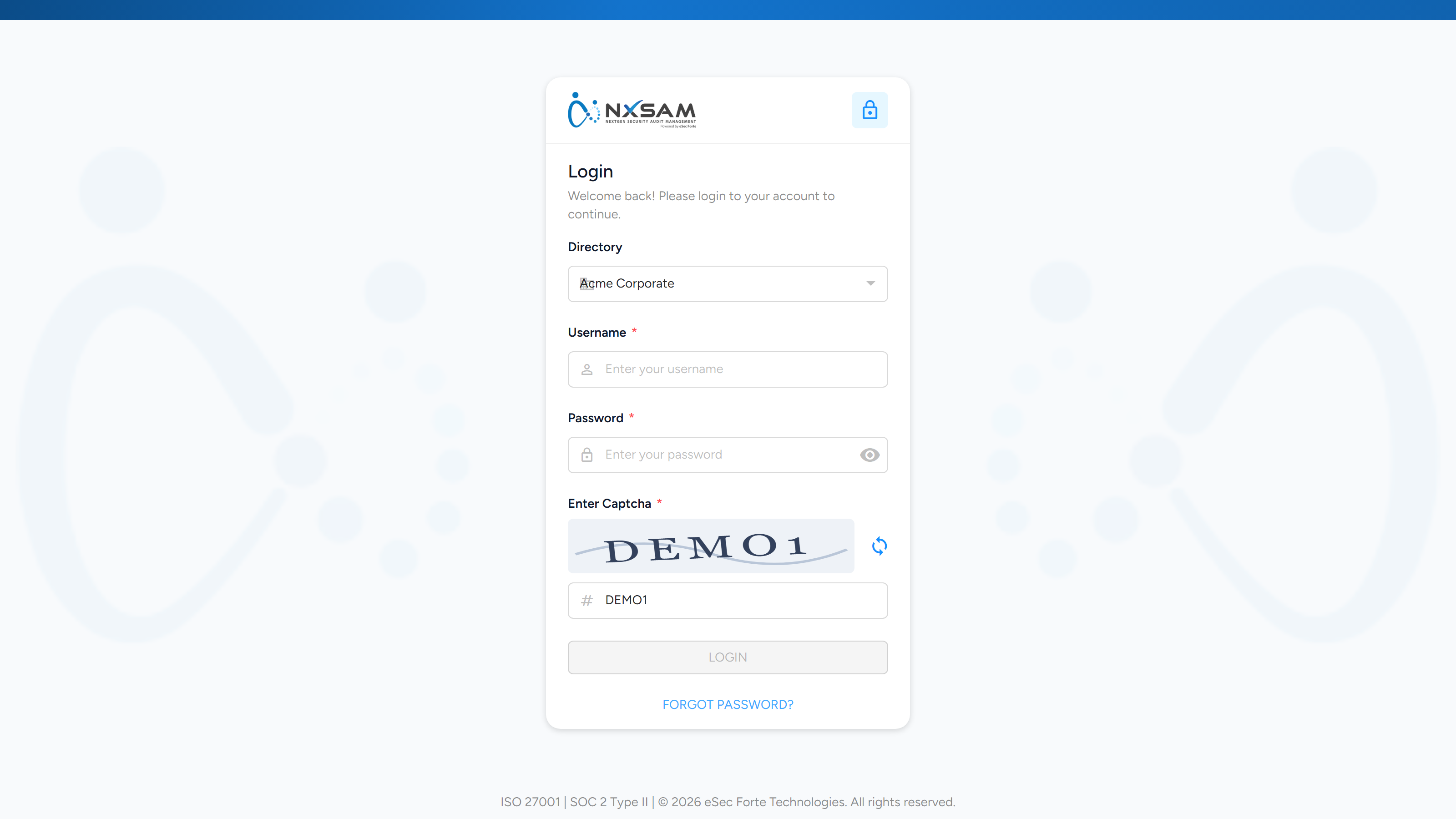
The fields
| Field | When it appears |
|---|---|
| Username | Always |
| Password | Always |
| Directory | Only when more than one Active Directory is configured |
| Captcha | When enabled for the deployment |
| OTP | When two-factor sign-in is enabled for your account |
Choosing a directory
If your organisation authenticates against more than one Active Directory — separate domains for staff and contractors, or one per acquired entity — a Directory list appears above the password field. Pick the one your account belongs to.
The list is absent when only one directory is configured, because there is nothing to choose. It is also absent for accounts that sign in with an NxSAM password rather than a directory.
Signing in against the wrong directory looks like a wrong password
The credentials are checked against the directory you selected. A valid username and password fail if they belong to a different directory, and the message is the same one you get for a genuinely wrong password.
If you are certain the password is right, check the Directory selection before asking for a reset.
When sign-in fails
| What you see | Usual cause |
|---|---|
| Invalid credentials, and you are sure they are right | The wrong Directory is selected |
| Account locked | Too many failed attempts — an administrator clears it with Unlock User |
| Signed in, then immediately returned to sign-in | The session was ended elsewhere, or your account was deactivated |
| No OTP arrives | Check the mobile or email on your account with an administrator |
An administrator can see whether the platform accepted or rejected the attempt, and — for directory accounts — what the directory replied. Ask them to check the sign-in and directory logs rather than retrying repeatedly, which can lock the account.