Assess an application, end to end
From onboarding an application to closing its findings, with what changes at each step.
Before you start
| You need | Why |
|---|---|
| The application's business context | It is what turns a finding into a decision |
| An audit type and category | They decide which properties are mandatory |
| An auditor account | An audit without one cannot be worked |
1. Onboard the application
Application Security → Application Inventory → Add.
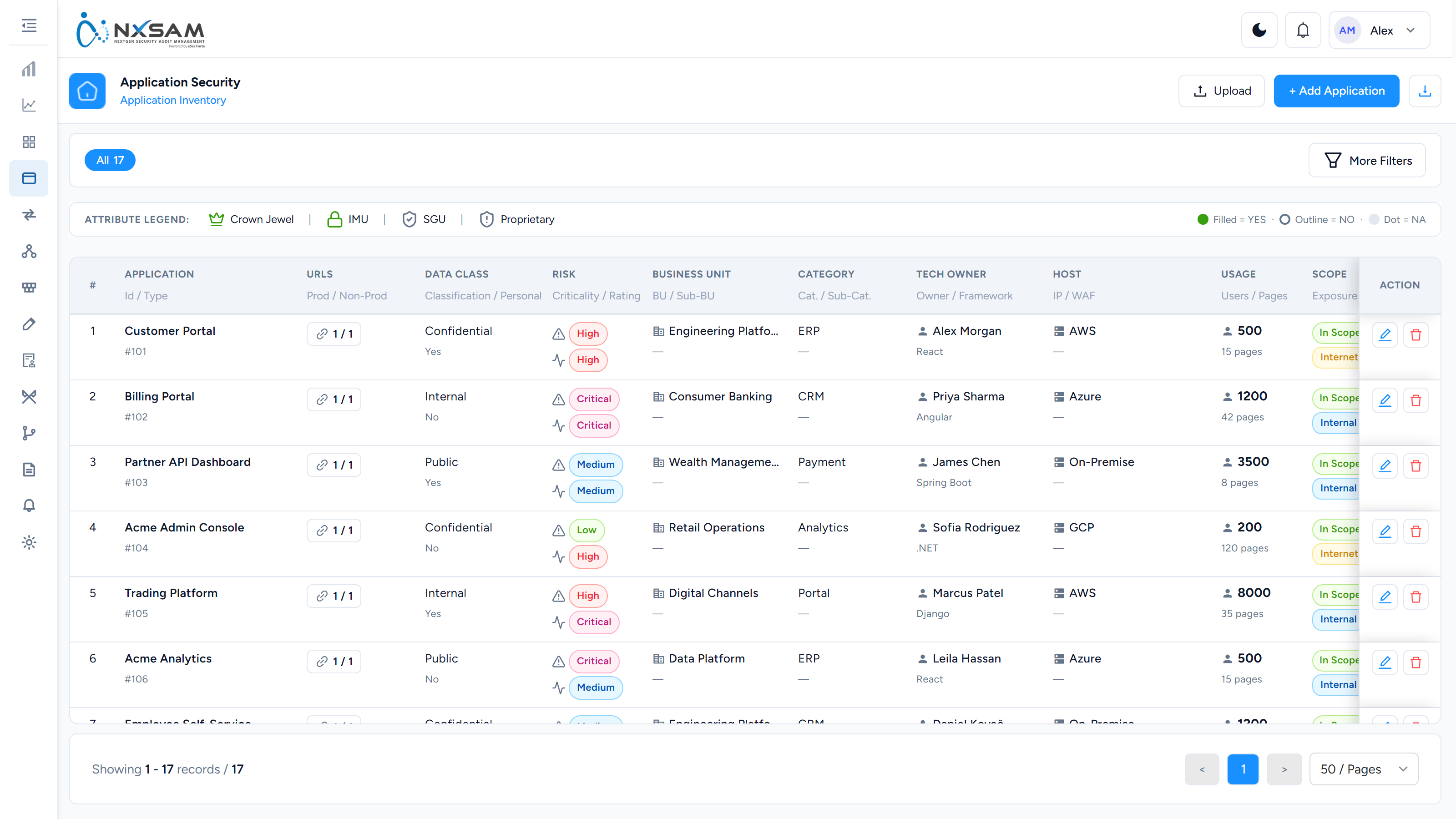
The inventory is filled by whoever onboards the application, not by any scanner. Two fields are routinely skipped and routinely wanted during an incident:
- WAF — whether one sits in front of the application.
- Acceptable Downtime — how long it can be offline.
Together they decide what remediation is even possible. A Critical behind a WAF with zero acceptable downtime needs a virtual patch; the same Critical on an internal tool needs a deploy.
2. Request the audit
Application Security → Audits → Request New Audit.
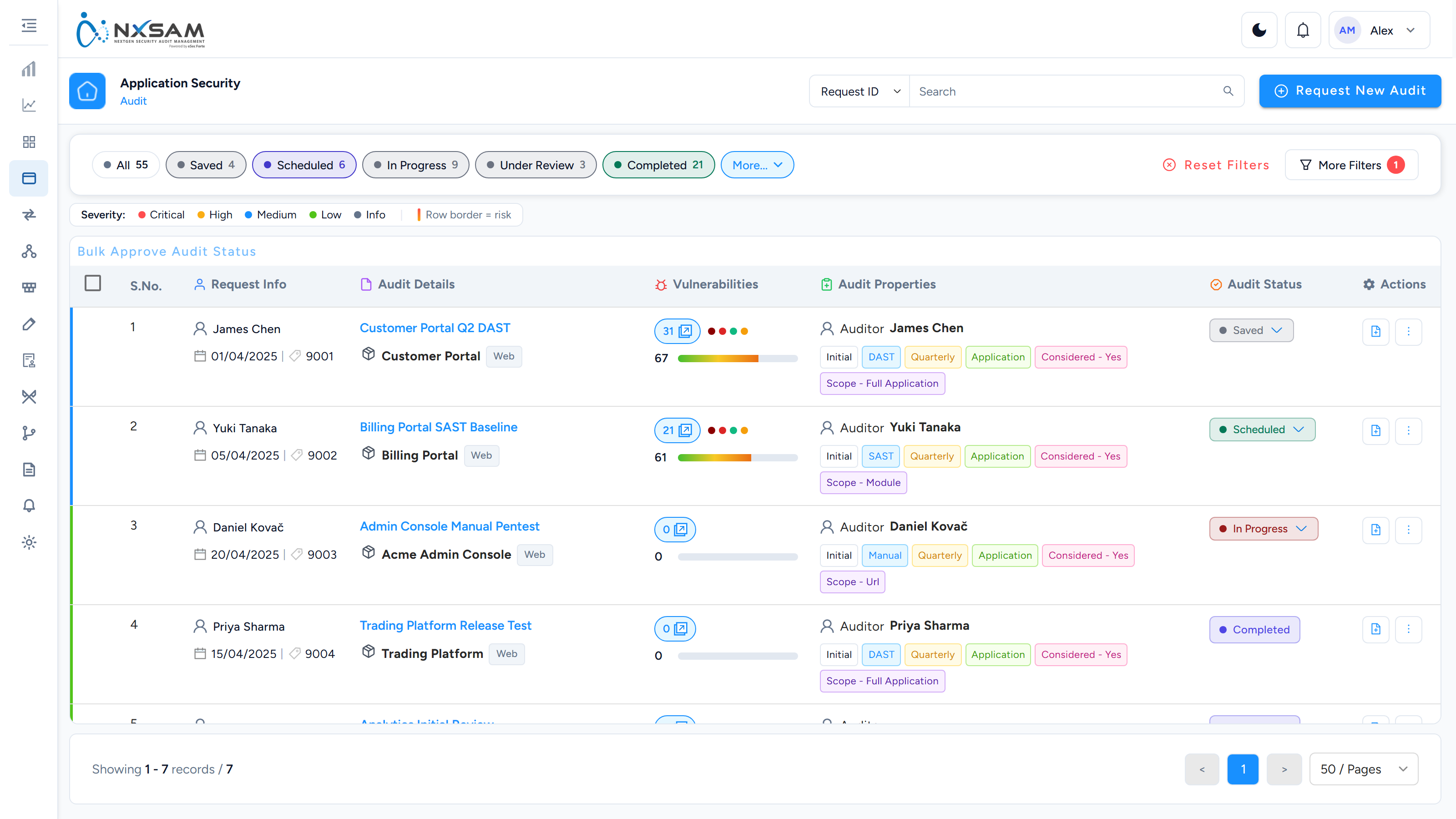
Choose the application, audit type, category and cycle.
After you save: the audit exists and appears in the list, with its properties shown as chips. Audits that arrive by import or from an integration often have fewer chips — the column was not in the file, or the tool did not know.
Assign auditors before the assessment is due to start.
3. Findings arrive
Findings are added by hand during a manual assessment, or imported from a scanner.
A scanner's count and NxSAM's count can differ legitimately
Integrations such as Checkmarx can classify findings on the way in, using your own triage rules. A finding auto-marked false positive never enters the open population — it is not behind a filter, and nothing on the screen explains its absence.
"The scan had 800 findings and NxSAM shows 600" is usually this, not data loss.
4. Record the evidence
Each finding carries Artifacts — step, description and images, in order.
A finding whose artifacts are a single unlabelled screenshot cannot be re-tested by anyone but its author. This is the difference between an assessment that survives a handover and one that does not.
5. Approve
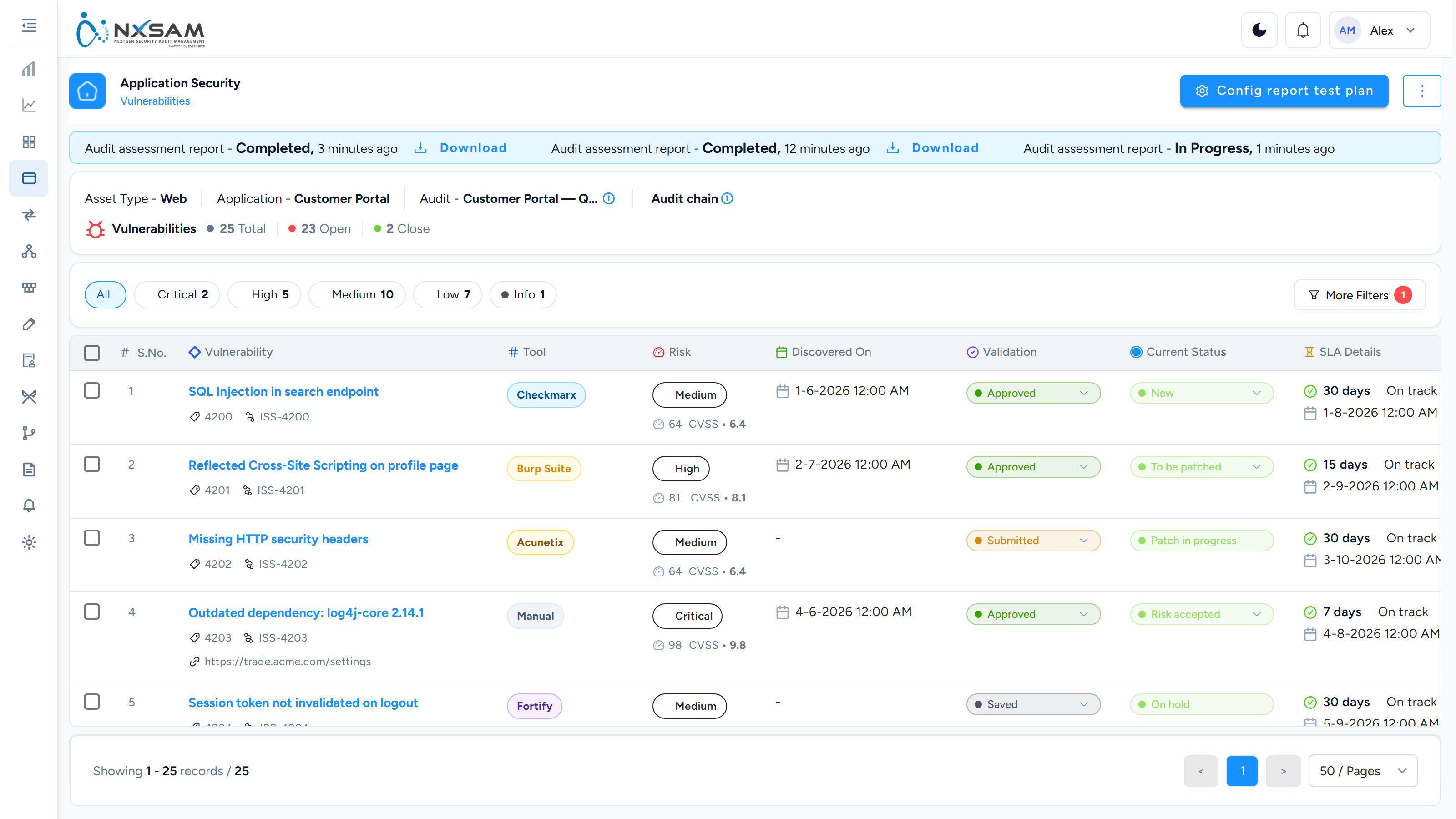
Move Validation to Approved.
After approval: the finding counts, Discovered On is populated, and its SLA starts.
Edit Vulnerability is not Edit Vulnerability Master Details
They sit next to each other in the same menu and look alike.
Edit Vulnerability changes the row you opened. Edit Vulnerability Master Details changes the catalogue entry inherited by every occurrence of that vulnerability, on every asset, in every audit.
Fixing a typo in the master is right. Recording something specific to one application through it is not, and there is no per-occurrence copy to fall back on.
6. Remediate and close
Move Current Status as work proceeds. Only Validated and Exception Handled close a finding — Risk accepted still counts as open, because accepting a risk is a decision about treatment rather than a fix.
Where the same weakness affects several applications built from one template, Copy Vulnerability reproduces it onto another asset while keeping each copy a genuinely separate finding with its own SLA and owner.
7. Re-test
Create a confirmatory audit against the parent. The form opens pre-filled with the name and today's date; both can be changed.
Then use Compare on the vulnerability screen to put the two audits side by side. It answers the only question a re-test asks — which of the original findings are actually gone — without reading two lists in parallel.
8. Complete
Move the audit to a final state. The date it reaches that state is the date every aggregate view files it under.
Only considered audits reach dashboards and reports. An audit marked Considered — No keeps its findings and shows them on the module screen while contributing to nothing aggregated — which is correct for a superseded audit or a trial run.
When something looks wrong
| Symptom | First thing to check |
|---|---|
| Finding not counted | Validation is not yet Approved |
| Discovered On is blank | Same — it populates on approval |
| Audit in the wrong month | The date it reached a final state |
| Text changed on findings you never touched | Someone edited the vulnerability master |
| Fewer findings than the scan reported | The import classification rules |
| An audit cannot be worked | No auditor assigned |