Reports
Reports turn what NxSAM holds into something you can send to someone who does not use NxSAM — a board, an auditor, a customer, a regulator.
The kinds of report
| Use it for | |
|---|---|
| Assessment reports | The findings of one audit, written up for the team that owns the application or infrastructure. |
| Overall vulnerabilities | Everything currently open across the estate, for management reporting. |
| Report templates | Reusable layouts so every report of a given kind looks the same. |
| Custom report templates | Your own structure, when the supplied layouts do not fit. |
| Report search | Finding a report generated earlier. |
How generating one works
- Choose the report and its scope — which audit, which assets, which period.
- Submit it. Generation happens in the background.
- The report appears in Reports Management when it is ready.
- Download it.
Reports are generated, not rendered on demand
A report is produced once and stored. It is a snapshot of the data at the moment it ran, which is what makes it valid to send to an auditor — it does not change after you have shared it.
The corollary is that a report does not update. If the data has moved on, generate a new one rather than expecting the old file to reflect it.
Why a report can differ from the screen
The single most common question about reports. Usually one of:
- Time. The report was generated earlier; the screen is live. SLA states in particular change as dates pass, with no data edit at all.
- Scope. The report covered one audit or one asset group; the screen is showing more, or less.
- Inclusion rules. Reports may exclude findings the screen includes — those awaiting approval, for instance.
Check the report's generation timestamp and scope before treating a difference as an error. Regenerating is the quickest way to confirm.
Templates
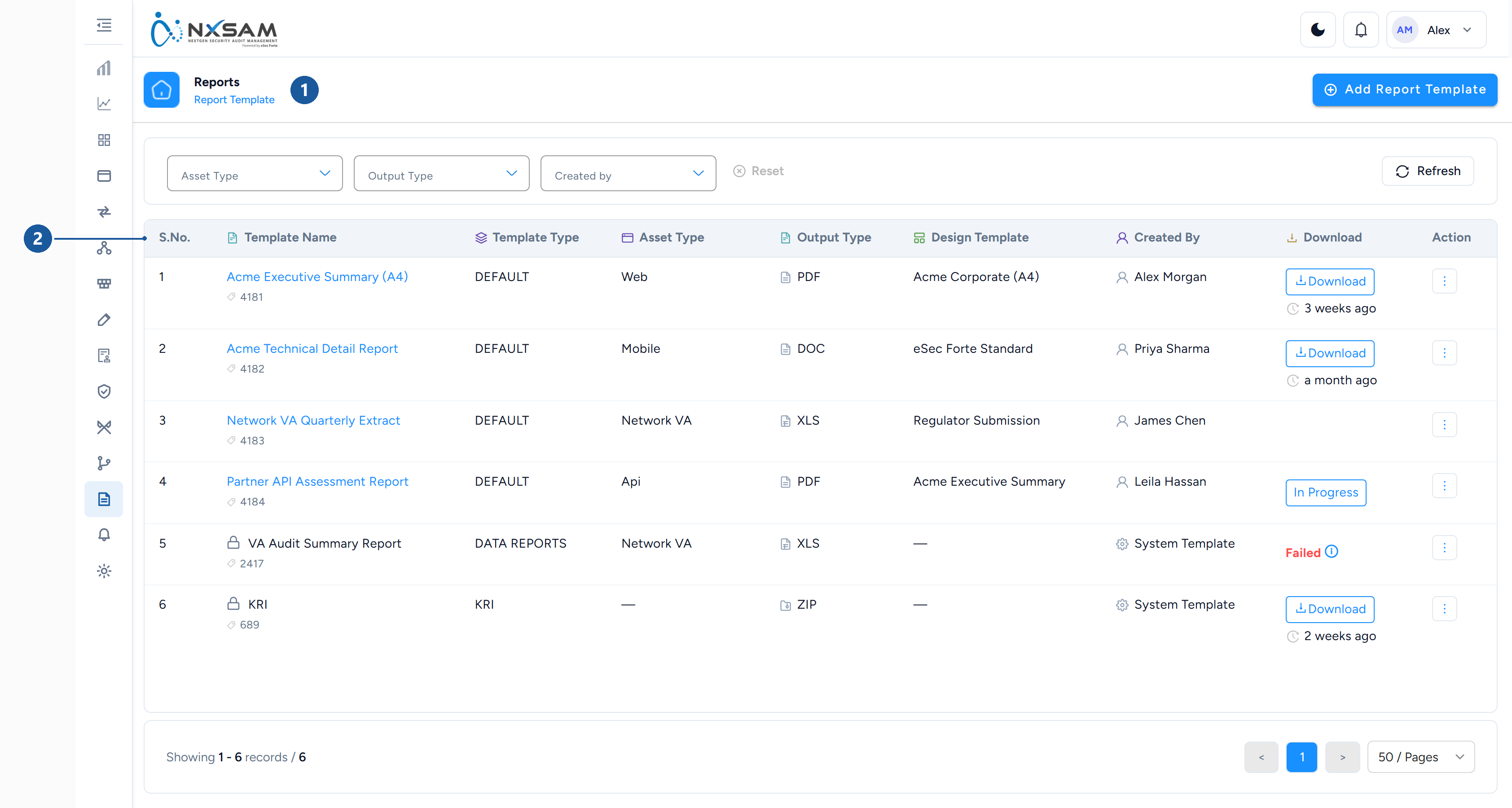
1 where you are · 2 the template list
Templates control structure and appearance so reports are consistent regardless of who produced them. A template fixes which sections appear, in what order, and how findings are grouped and presented.
Editing a template affects future reports. Reports already generated are files, and files do not change.
Scheduled and emailed reports
Where configured, reports can be produced on a schedule and emailed to a defined list. The practical benefit is that recipients who never sign in still receive the picture.
Two things to keep in mind:
- The recipient list is part of the schedule's configuration, so people who join or leave a team need it updated.
- A scheduled report reflects the data at the moment it ran, which is normally overnight. A recipient comparing it against the live screen later in the day will see differences, and those differences are expected.