Run a compliance audit, end to end
Policy Compliance counts differently from every other module, and the differences matter from the first step. Read how the numbers work alongside this if the counting is new to you.
Before you start
| You need | Why |
|---|---|
| The benchmark being assessed | It decides which controls apply |
| The host list in scope | Scope here is hosts, not applications |
| Working scanner credentials on those hosts | A failed check returns error, not fail |
1. Create the audit
Policy Config → PC Audit → Request New Audit.
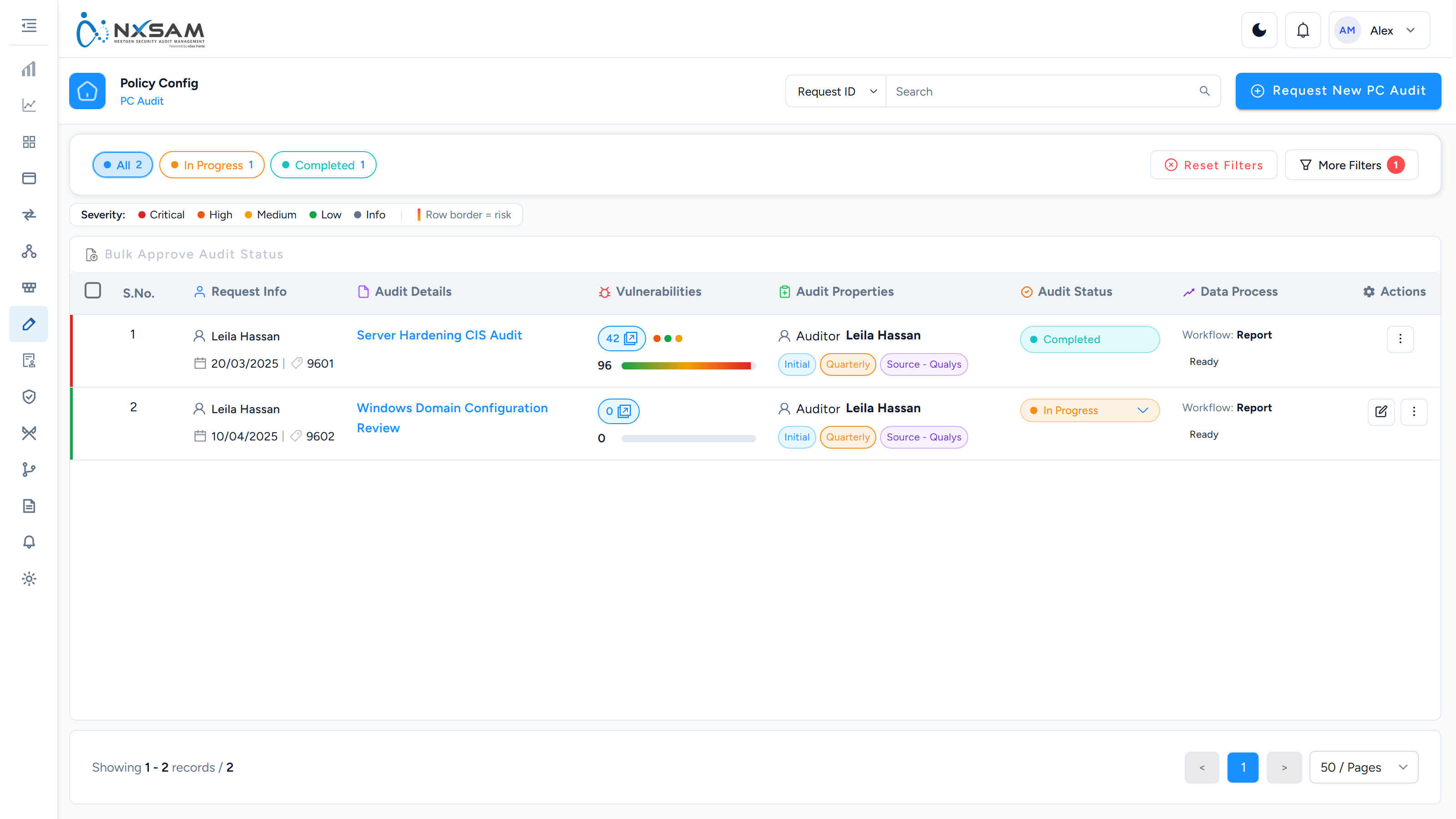
2. Set the scope
Add the hosts through host selection. Export IPs downloads the list — keep it, because compliance scope disputes are settled by comparing it against the benchmark tool's own target list.
Hosts that genuinely do not apply belong in excluded assets, each with a Comment giving the justification. An exclusion without one is the first thing an external auditor questions.
3. Upload the results
Uploads are queued rather than applied immediately.
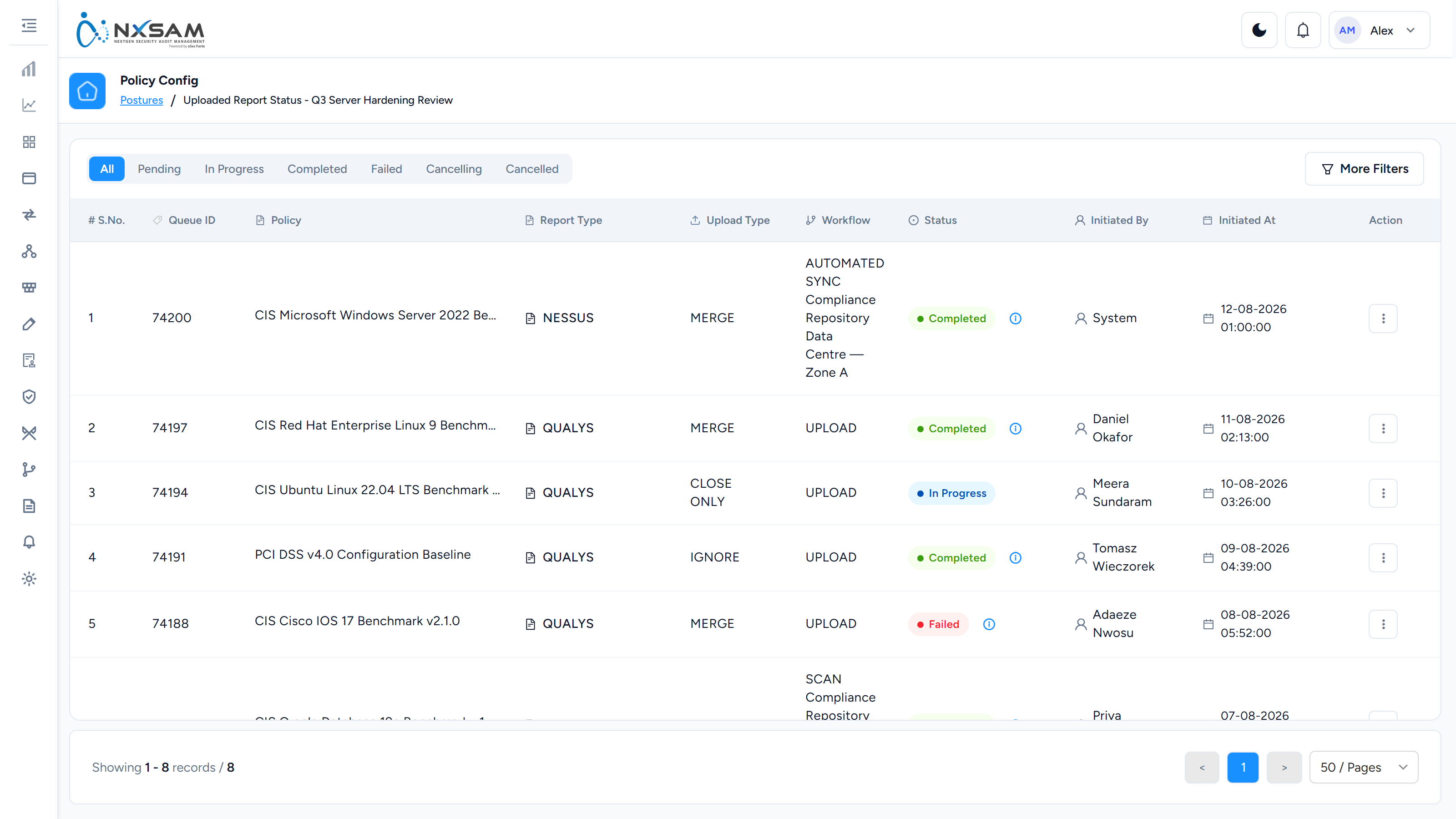
Choose the upload type carefully: it decides how incoming rows meet the existing ones — merge, closure, limited closure or ignore. The wrong choice is not a parsing error and produces no warning; it produces the wrong result quietly.
While it processes: the queue shows Pending or In Progress, and counts move. A failed job carries a per-row reason — most often a host in the file that is not in the audit's scope.
4. Read the results
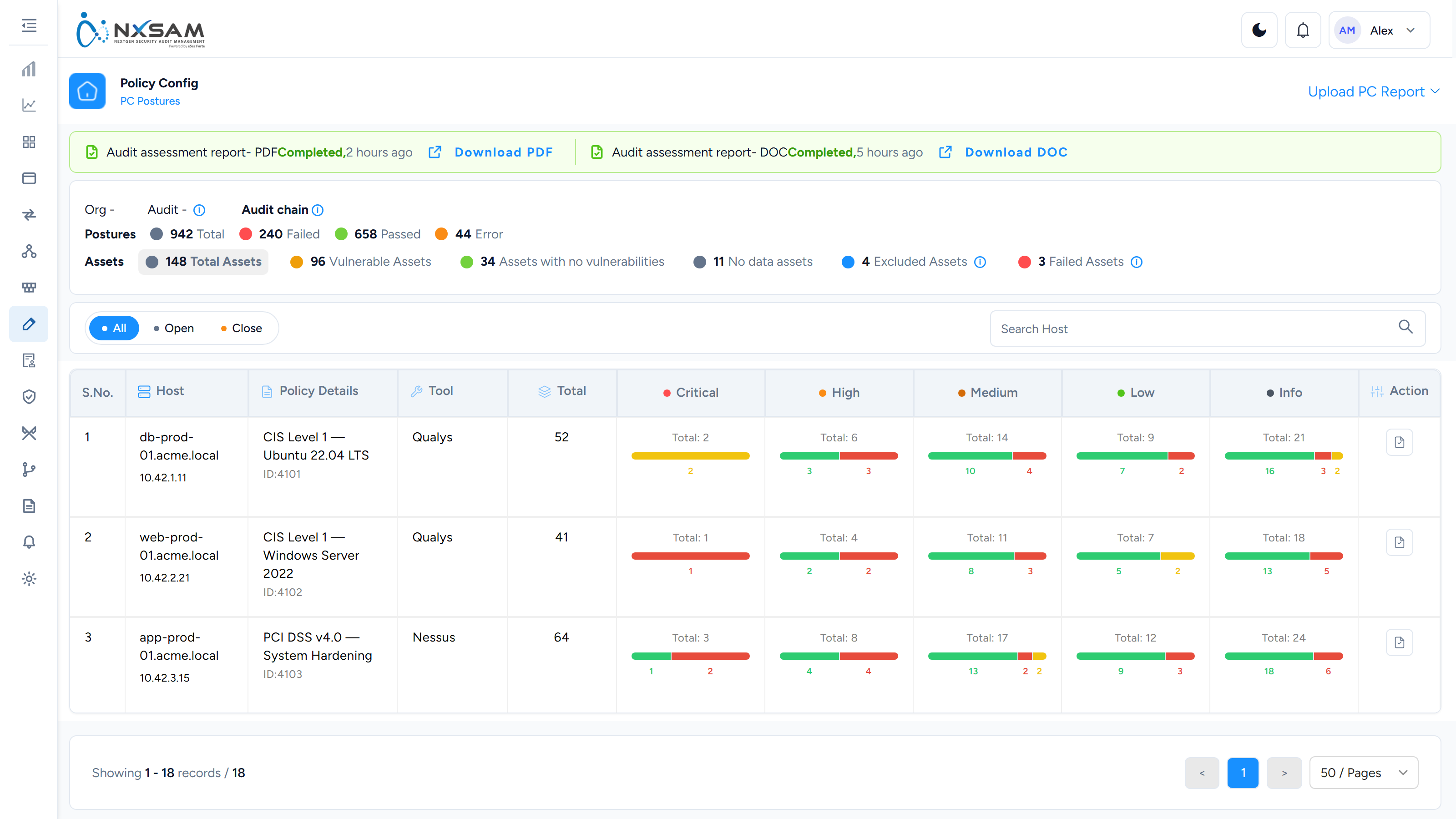
A posture is one control checked against one host. Every check produces a row whether it passed or not, so an audit of 400 hosts and 300 controls is 120,000 rows.
Total postures = passed + failed + error. If the three do not add up, the run is still processing.
Two columns that look alike and are not:
| Column | Means |
|---|---|
| Posture Status | What the check returned — pass, fail, error |
| Status | What your team decided to do |
A posture can be fail and Risk accepted at once. The machine is still non-compliant, and the organisation has agreed to leave it that way.
Mostly errors is a credentials problem, not a compliance result
Error means the check could not run. A benchmark returning mostly errors usually indicates the scanner could not authenticate to the targets.
5. Work the failures
Open a posture for Cause and Evidence. Cause is the rule's explanation; Evidence is the value actually read from the machine. When an owner says "that setting is correct", Evidence is what settles it.
Record decisions as you go:
- Comments — the discussion trail, with who and when.
- Status changes — each passes through a confirmation dialog naming the audit and the transition. Whether a comment is required depends on the target status.
Comments accept letters, numbers and _ - . & up to 5000 characters, so text pasted from a
ticketing system is sometimes rejected for its characters rather than its length.
6. Approve
Bulk Approve Audit Status acts on the rows you tick, which is what the checkbox column is for — a cycle's worth of completed audits can be approved together.
7. Re-assess
A follow-up assessment against the same scope shows what has actually changed. The status history on each posture — including the Evidence recorded by whoever changed it — is what an auditor reads later.
When something looks wrong
| Symptom | First thing to check |
|---|---|
| Upload "did nothing" | The queue, not the posture list |
| Counts do not add up | Still processing |
| Everything closed, or nothing updated | The upload type used |
| Mostly errors | Scanner credentials on the targets |
| The list is empty | The filter badge — filters persist across the module |
| The heading says "undefined" | A known defect; the table below is still correct |