Connect a scanner, end to end
Connecting a tool is four decisions and one test. Getting the decisions right first saves the reconciliation afterwards.
Before you start
| You need | From whom |
|---|---|
| The endpoint URL for your region | The tool's administrator |
| An account with API access enabled | The tool's administrator |
| Confirmation of what that account can see | The tool's administrator |
| Network reachability, including any allow-list | Your network team |
Ask what the API account can see, not what your account can see
This is the failure that wastes the most time. The connection succeeds, the account signs in, and it can see none of the scans — because scope in the scanning tool is granted per account and yours is not the one NxSAM uses.
1. Choose the right integration
Several vendors appear more than once, and the entries are not interchangeable:
- Checkmarx, Checkmarx SCA and Checkmarx Standalone SCA are three integrations. SCA covers third-party libraries rather than your code.
- Prisma Cloud appears twice — once for container security, once for cloud posture — with separate credentials.
Connecting the wrong one produces an integration that works and populates nothing.
2. Enter the connection
Configurations → Integration, then the tool.
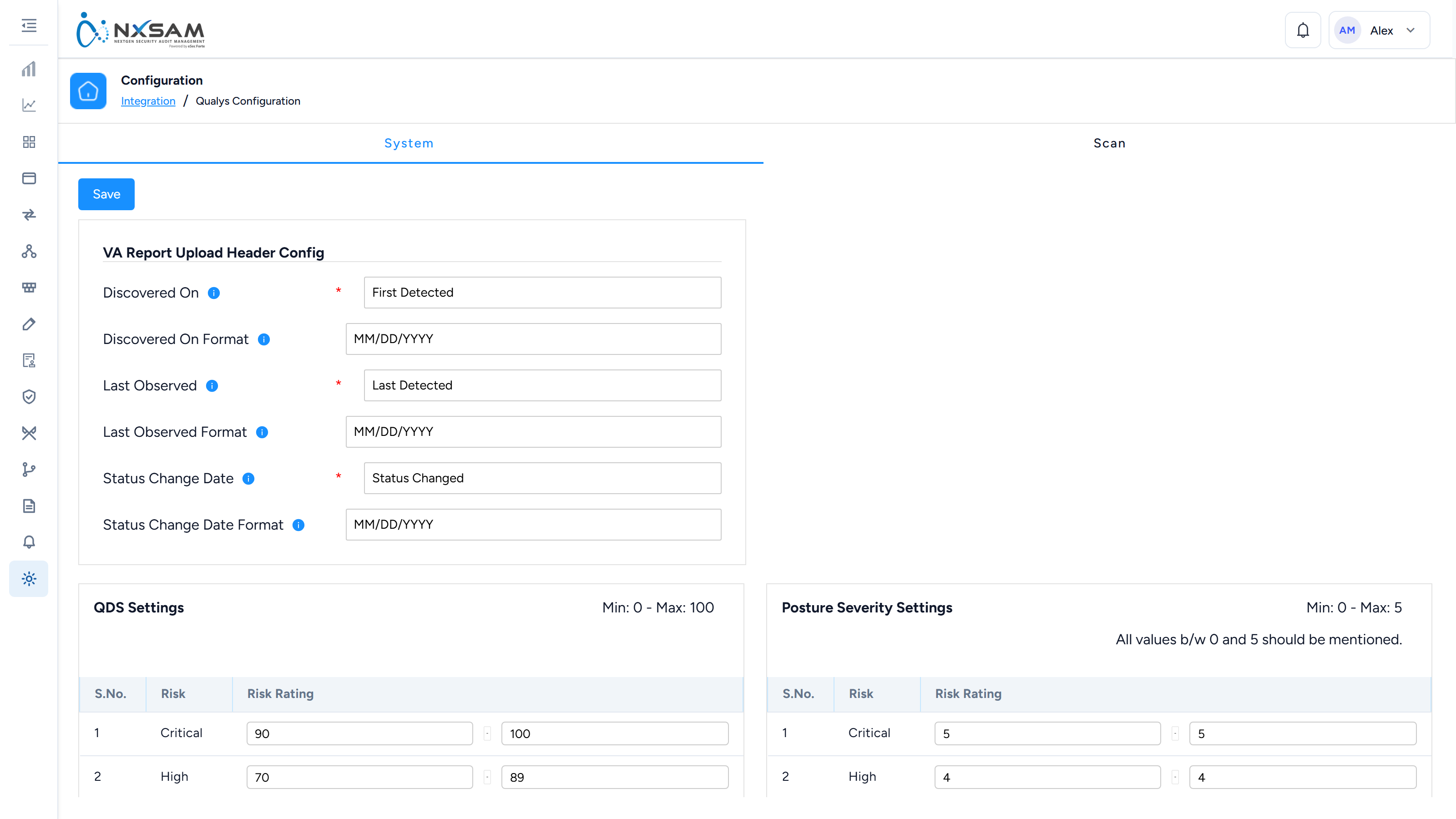
Supply the URL, port, credentials and the client the imported data belongs to.
3. Map the columns
Report-based and several API integrations map the tool's columns onto NxSAM's fields. Two groups matter.
Dates — each date names both the column and the format it is written in:
- Discovered On, with its format
- Last Observed, with its format
- Status Change Date, with its format
A wrong date format is worse than a missing one
03/04/2026 is a valid date in two formats five weeks apart. A missing date is rejected
and reported. A misread one is imported and silently wrong, and it shifts every SLA
calculation built on it.
Check the format against a current export from the tool, not against its documentation — vendors change export defaults between versions.
Identity — which column decides that an incoming finding is one NxSAM has seen before.
Changing identity later splits your history
Change it after data exists and the next import will not match the previous data: existing findings stop being observed while fresh copies arrive with no history, and counts appear to double.
It is not undone by changing the setting back. Decide it before the first sync.
4. Test the connection
Use Test Connection before saving. Several integrations will not save an enabled connection that has not been tested — deliberately, because a typo in the URL otherwise surfaces days later as an empty sync.
5. After the first sync
The first collection takes substantially longer than later ones; it has history to fetch. Then check three things:
- Did unexpected assets appear? Some integrations create assets for scan targets NxSAM did not know about.
- Did audits appear that nobody created? Several integrations create an audit per scan. That is normal — the control is the integration's scope, not deleting audits.
- Do the counts roughly match the tool? Small differences are deduplication; large ones are scope.
6. Confirm coverage, not just import
A clean import says nothing about what was missed. For Tenable, the IO tab compares the two asset lists directly:
- Tenable IO Only — hosts being scanned that NxSAM has no asset for, so their findings have nowhere to land.
- NxSAM Only — assets you believe are being assessed and are not. This is a coverage gap, and it is the number worth acting on.
When something looks wrong
| Symptom | Usual cause |
|---|---|
| Authenticates, imports nothing | API account scope |
| Fails like a wrong password | Wrong regional endpoint |
| Dates are weeks out | Date format mapping |
| Counts doubled after an import | Identity configuration changed |
| Fewer findings than the tool shows | Import classification rules (Checkmarx-style) |
| Module still empty after connecting | The other integration of the same vendor |