Container Security: find the right screen
Every screen in this module, what each one is for, and where it lives. Use it to find the right screen quickly, and to confirm you are on the one a colleague means — several screens in this product have similar names and different jobs.
Screenshots come from a demonstration data set, so the figures are illustrative. Click any screenshot to open it at full resolution.
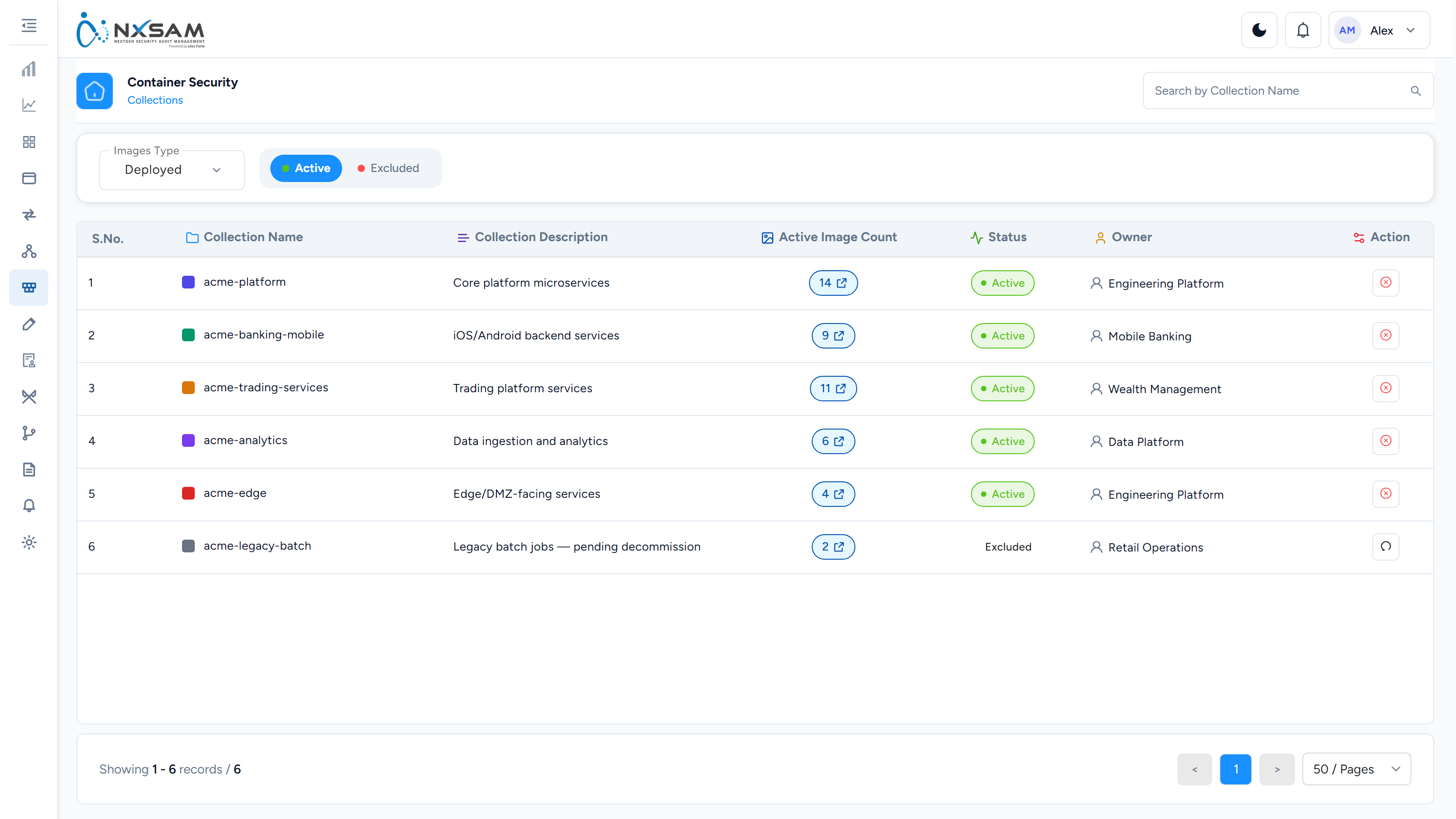
Container Collections
Logical groupings of images, usually mirroring how the platform team organises workloads.
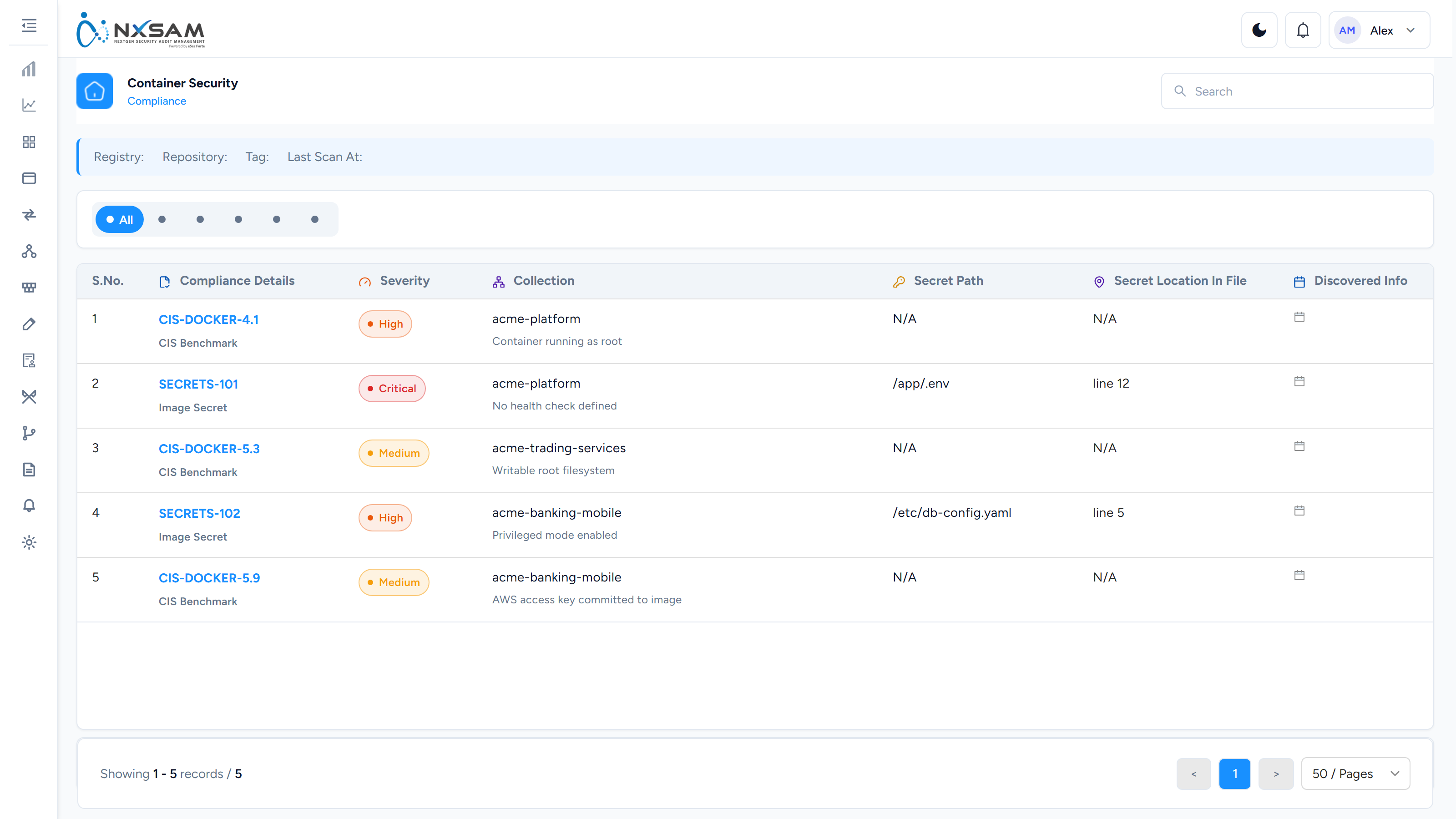
Container Compliance
Hardening and configuration checks against images, as distinct from package vulnerabilities.
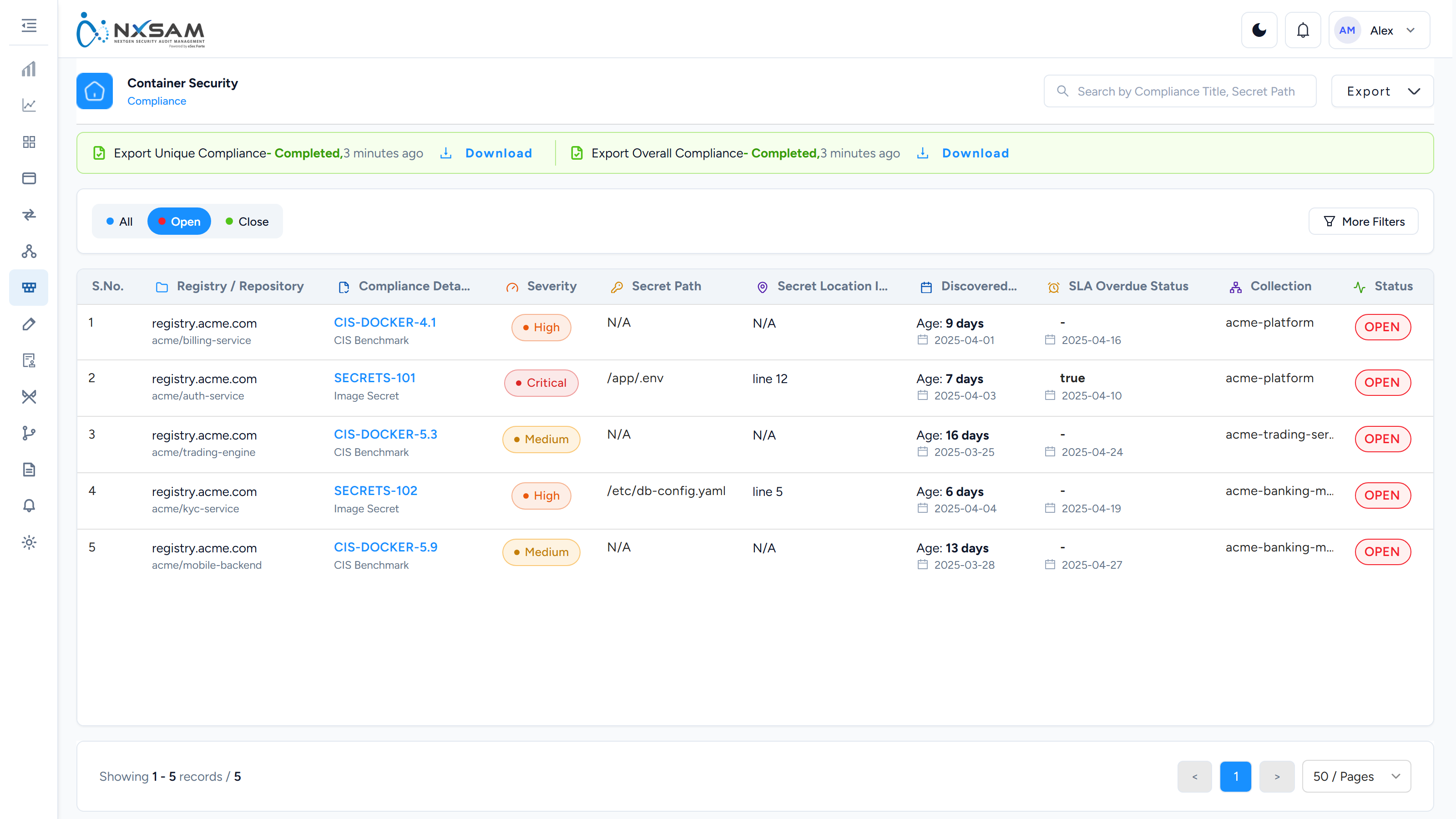
Container Compliance Search
Search compliance findings across all images, for spotting a setting wrong everywhere.
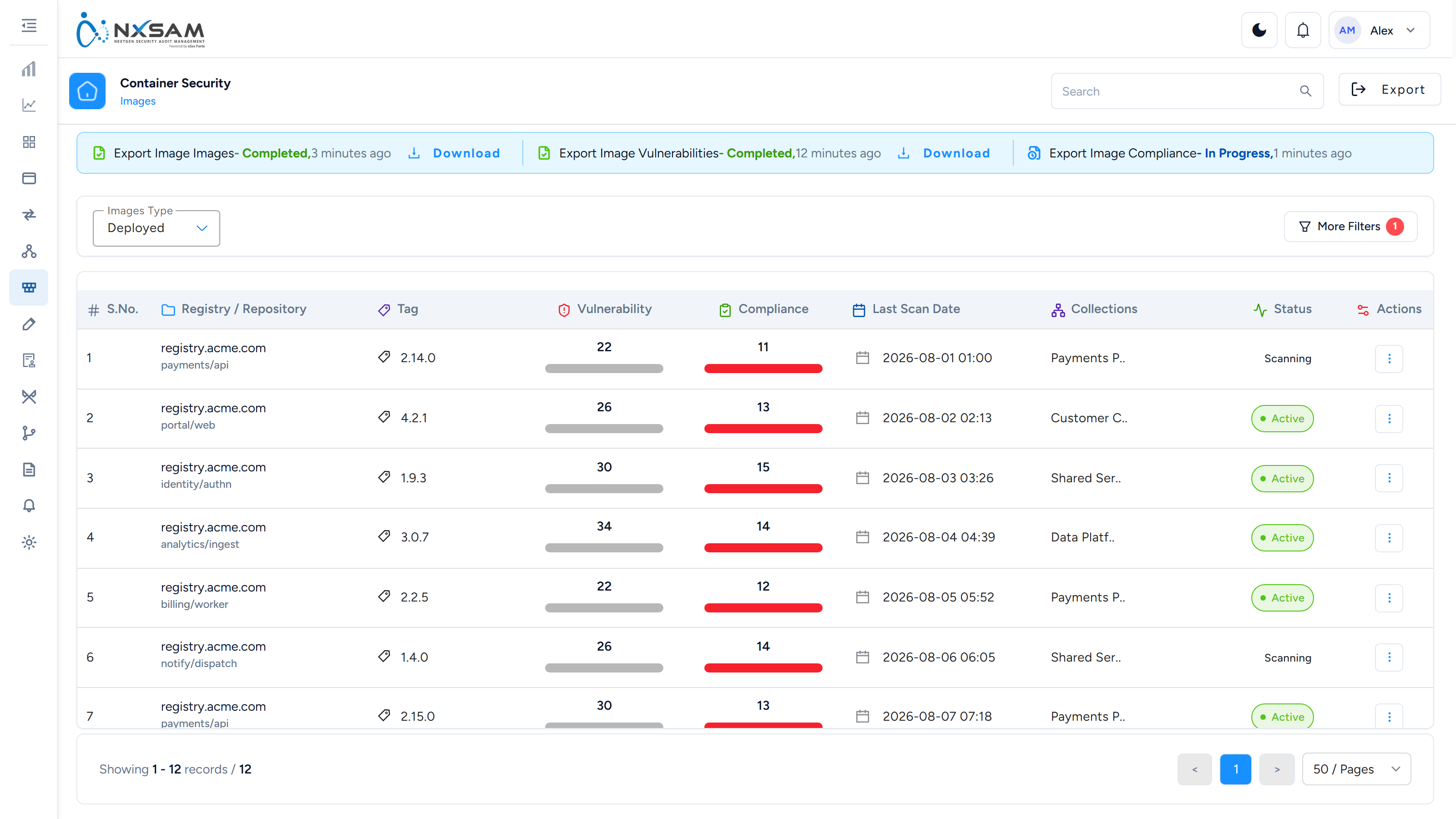
Container Images
The image inventory by repository and tag, with findings per image.
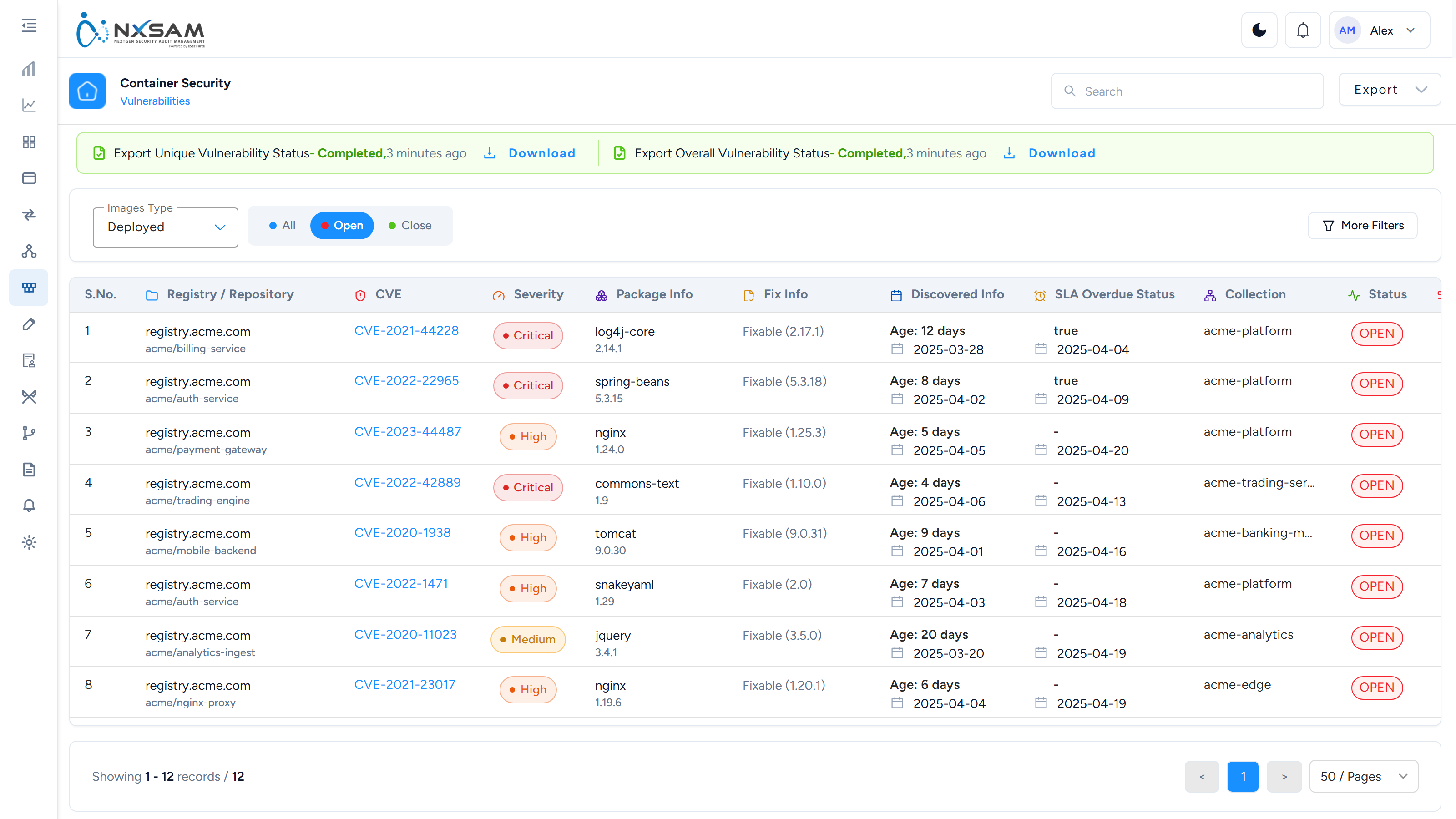
Container Vulnerability Search
Search findings across every image at once — the view that shows a shared base-image problem.