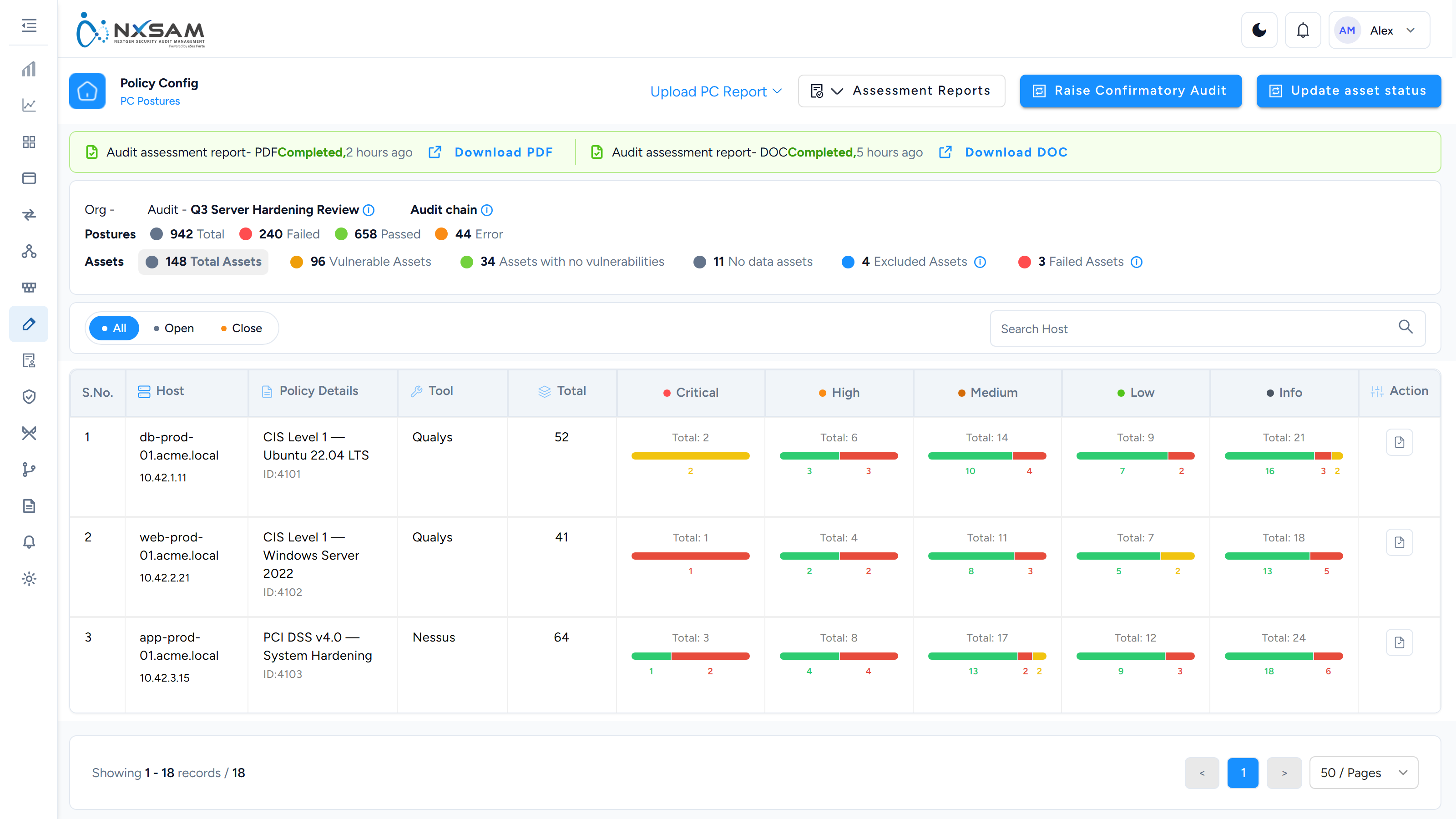
Policy Compliance: find the right screen
Every screen in this module, what each one is for, and where it lives. Use it to find the right screen quickly, and to confirm you are on the one a colleague means — several screens in this product have similar names and different jobs.
Screenshots come from a demonstration data set, so the figures are illustrative. Click any screenshot to open it at full resolution.
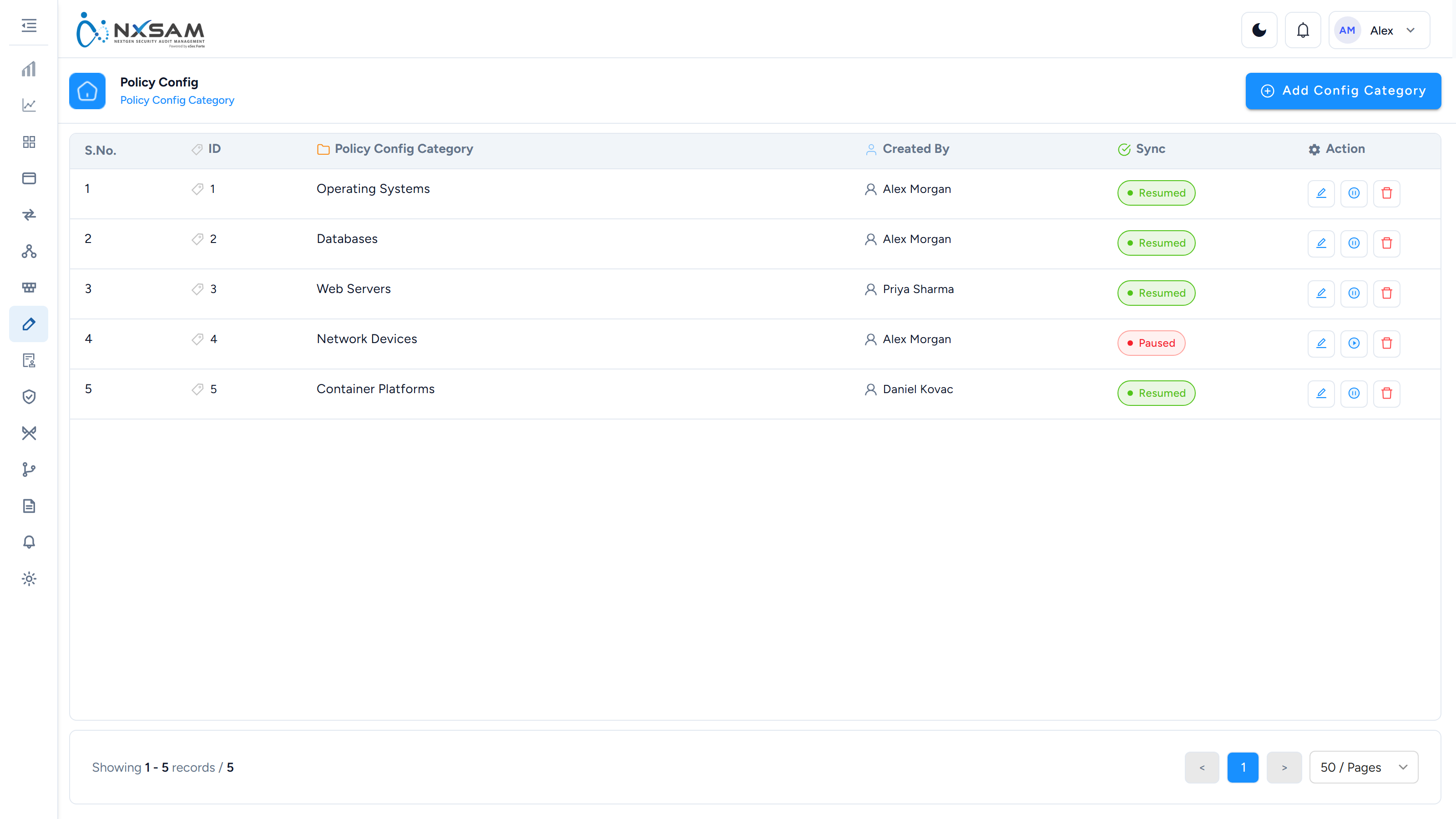
Control Categories
How controls are grouped for reporting — by domain, benchmark section or your own scheme.
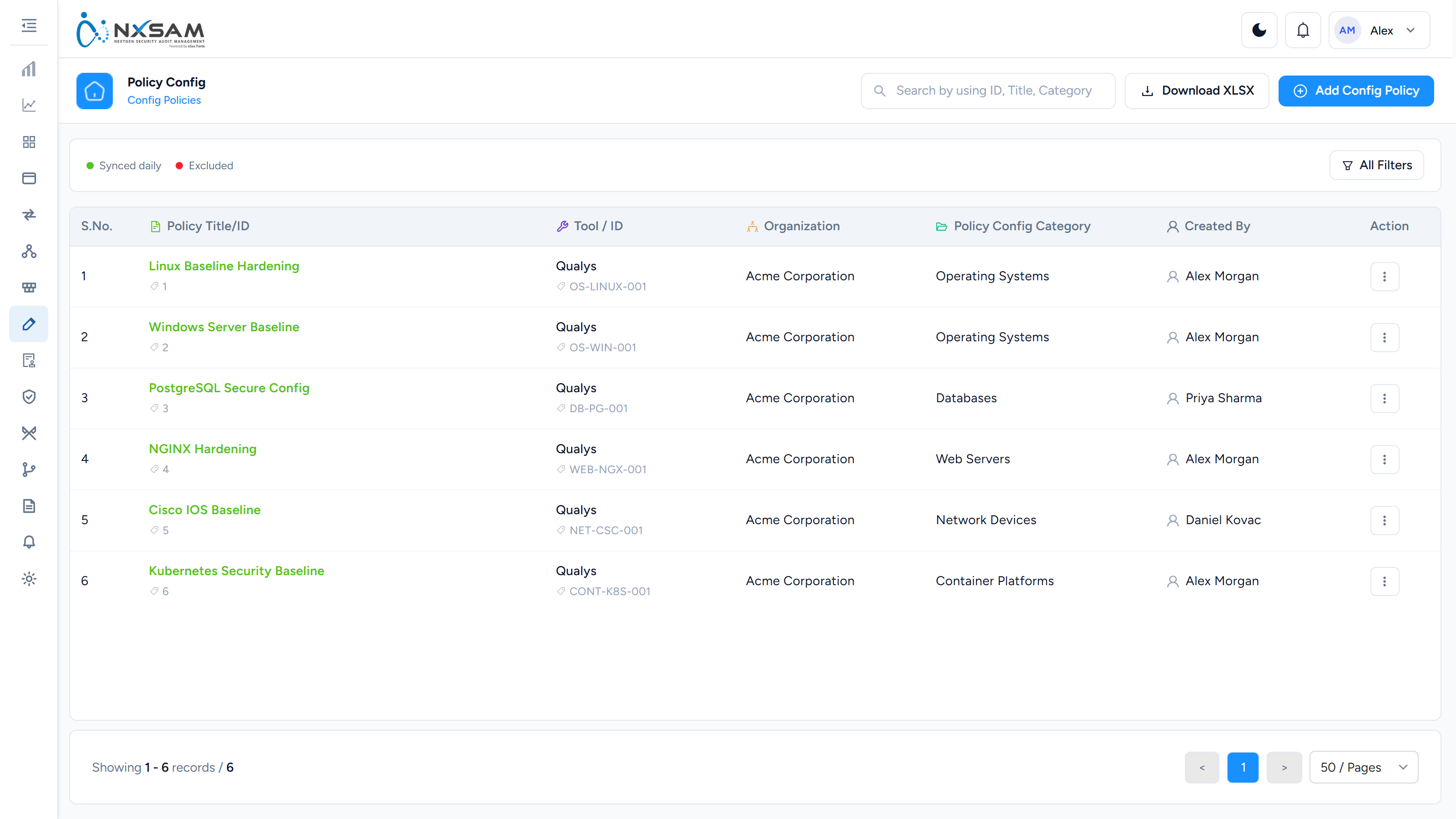
Policy Configuration
Which benchmarks are in use and how their results are interpreted.
Postures
The result of one control checked against one asset — the expected value, the actual value, and whether it passed.