Find a specific vulnerability
Three ways, depending on what you already know.
If you know the asset
The quickest route when you are asking "what is wrong with this system".
- Go to the module the asset belongs to — Application Security, Network Security, and so on.
- Open the asset, then its audits.
- Open the audit to list its findings.
If you know the vulnerability
When you are asking "where do we have this problem" — after a CVE is announced, for instance.
- Open Analytics Dashboard → Live Data.
- Filter by the vulnerability name or identifier.
- The result lists every asset affected.
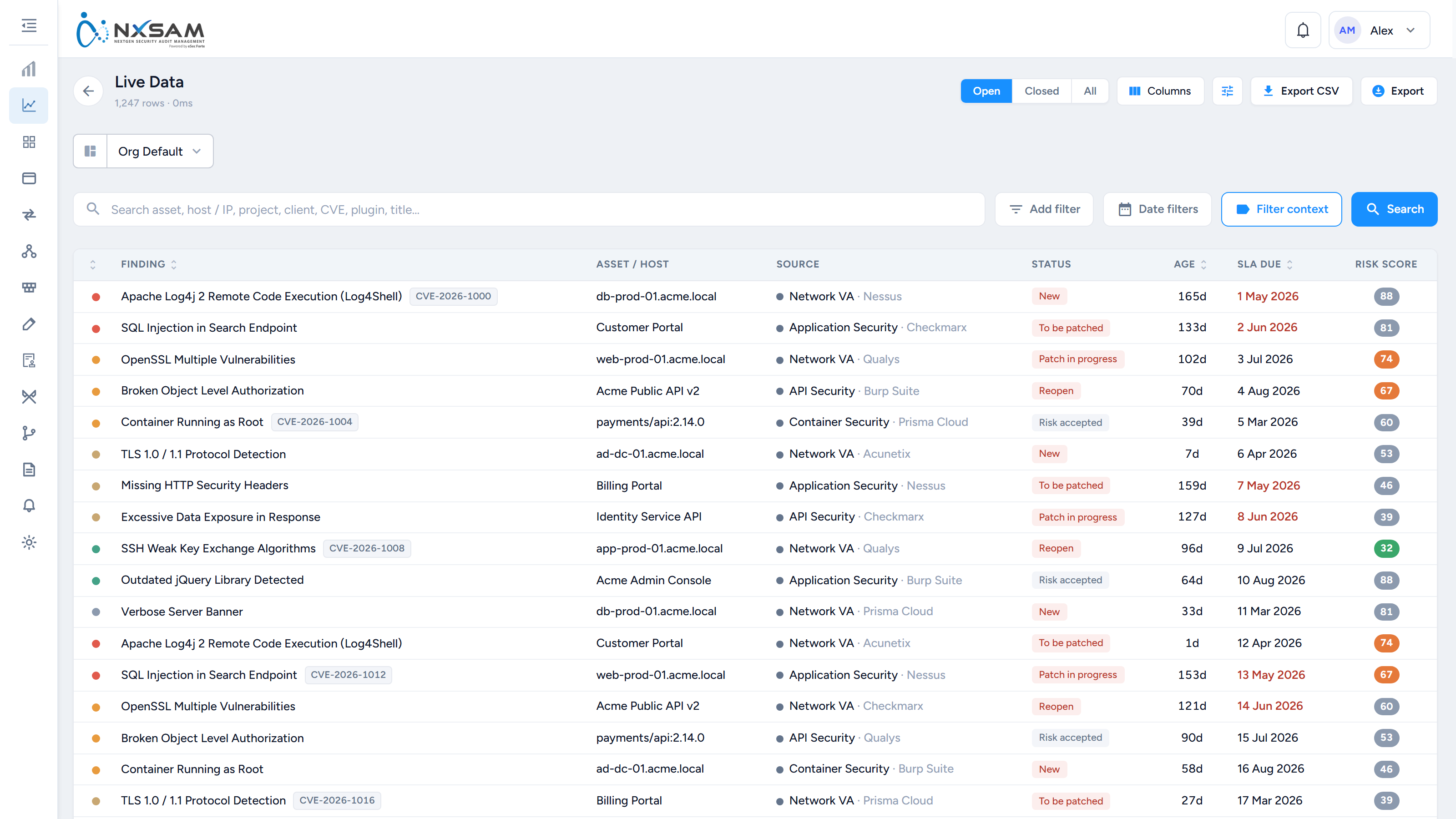
This is the view to use for "are we exposed to X", because it crosses all modules at once rather than making you check each in turn.
If you only know roughly what you are after
Use the filters on any module's vulnerability list. They combine, so you can narrow by several at once:
- Severity — Critical through Informational
- Status — open, in progress, closed
- SLA state — overdue, approaching
- Asset, owner, project, business unit
If the list looks empty, check the filters first
Filters persist. A filter set earlier — especially a pinned one on the Analytics Dashboard — remains applied, and an unexpectedly empty list is much more often a filter than an absence of data.
Reading the result
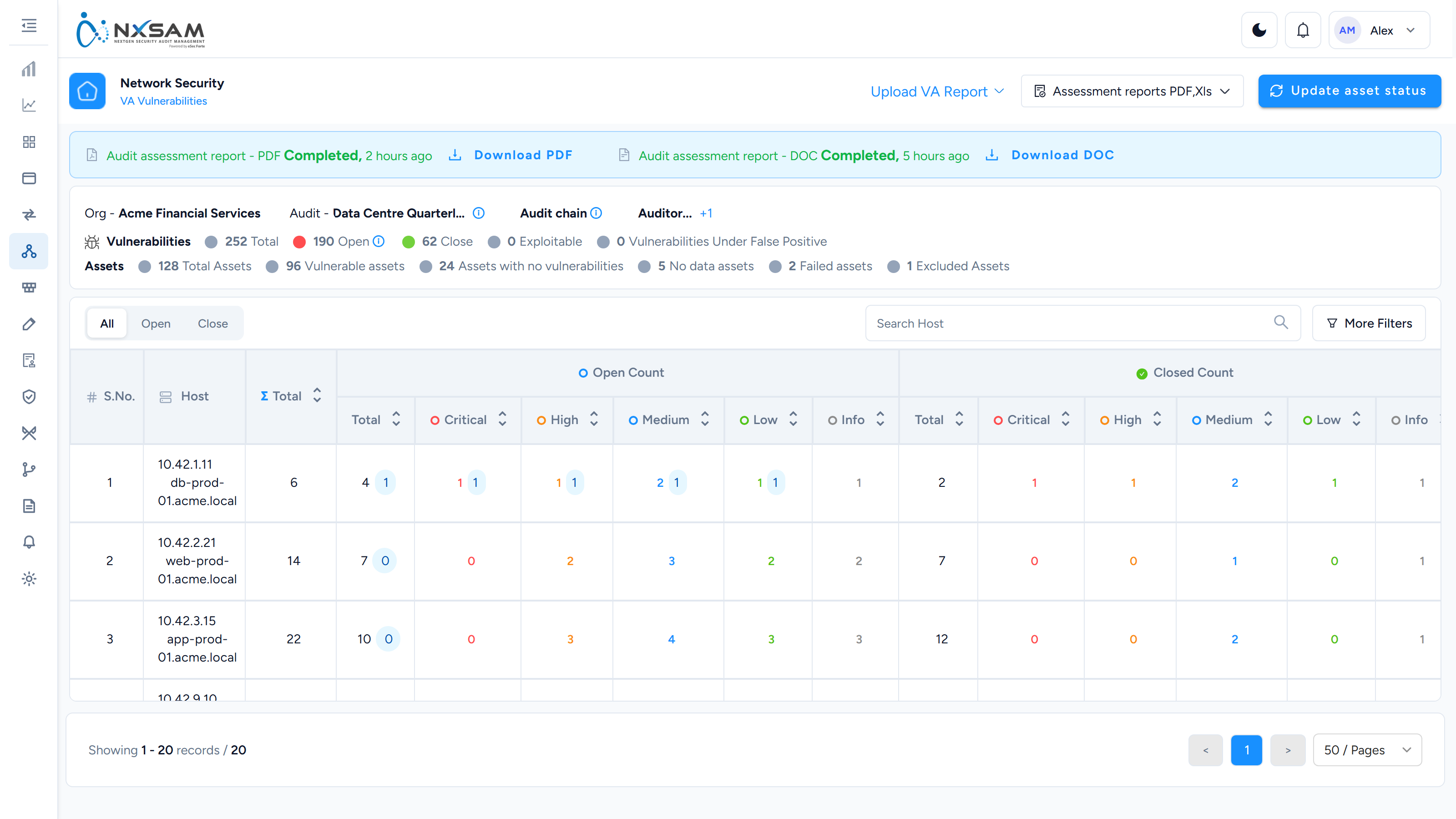
Each finding shows:
| Severity | How serious the weakness is |
| Status | Where it is in its lifecycle |
| SLA date | When it should be resolved by |
| Discovered | When it was first seen — not when it was imported |
| Asset | What it affects |
Open the finding for the full description, evidence, and history of what has happened to it.
Discovered is not imported
A finding your scanner first saw months ago arrives already that old, and may already be past its SLA on the day it appears. That is correct — the weakness has genuinely existed that long.